> ## Documentation Index
> Fetch the complete documentation index at: https://docs.dfns.co/llms.txt
> Use this file to discover all available pages before exploring further.

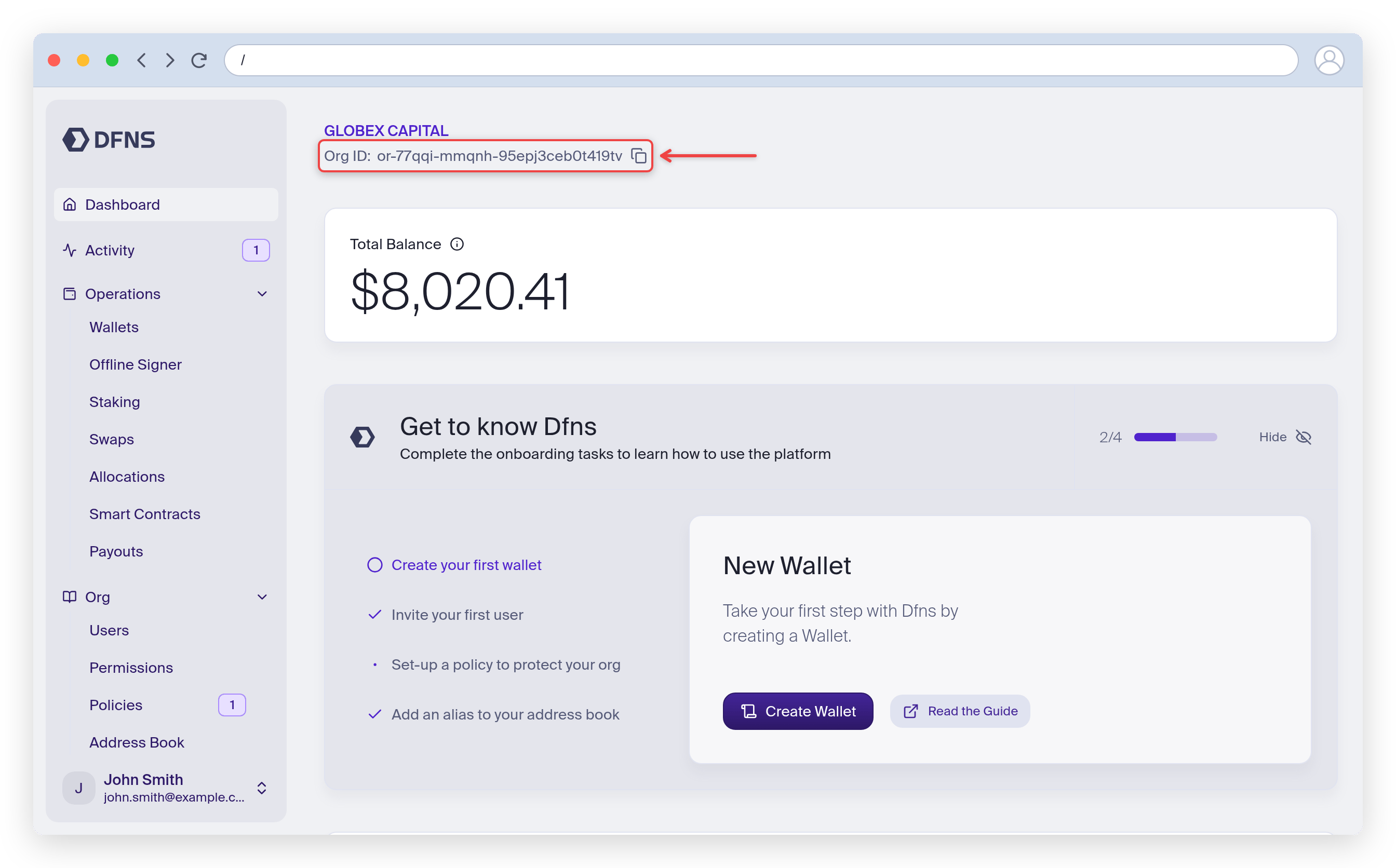
# Find your organization ID

> The organization ID (orgId) is the unique identifier Dfns uses to segregate your data; find it on the dashboard Profile page or via the API.

The following steps will help you navigate to the Profile page.

<Tip>
  Direct link: [https://app.dfns.io/profile](https://app.dfns.io/profile)
</Tip>

<Steps>
  <Step title="Open the user menu">
    At the bottom-left corner of the dashboard, click your username:

    <Frame>
      <img src="https://mintcdn.com/dfns-6d8c7466/ftsYg7qB9jqV2wXO/images/auto/locating-your-organization-id-1.png?fit=max&auto=format&n=ftsYg7qB9jqV2wXO&q=85&s=78df9371f86706965a8683ee4e73930b" alt="" width="2688" height="1672" data-path="images/auto/locating-your-organization-id-1.png" />
    </Frame>
  </Step>

  <Step title="Head to the Profile menu">
    Select "Profile".

    <Frame>
      <img src="https://mintcdn.com/dfns-6d8c7466/ftsYg7qB9jqV2wXO/images/auto/locating-your-organization-id-2.png?fit=max&auto=format&n=ftsYg7qB9jqV2wXO&q=85&s=05eb316903f49abe41fec640e83aede1" alt="" width="2688" height="1672" data-path="images/auto/locating-your-organization-id-2.png" />
    </Frame>
  </Step>

  <Step title="Locate the organization ID">
    There it is!

    <Frame>
      <img src="https://mintcdn.com/dfns-6d8c7466/ftsYg7qB9jqV2wXO/images/auto/locating-your-organization-id-3.png?fit=max&auto=format&n=ftsYg7qB9jqV2wXO&q=85&s=676435611506a54cb89cfa0aaf60355c" alt="" width="2688" height="1672" data-path="images/auto/locating-your-organization-id-3.png" />
    </Frame>
  </Step>
</Steps>