> ## Documentation Index
> Fetch the complete documentation index at: https://docs.dfns.co/llms.txt
> Use this file to discover all available pages before exploring further.
# Use multichain wallets
> Use the same DFNS wallet address across multiple EVM networks to simplify asset management, accounting, and integrations with downstream tools.
export const Youtube = props => {
return ;
};
A single signing key in DFNS can be used across different blockchains, as long as the key scheme and curve are compatible. The primary use case is having the same wallet address across Ethereum and all EVM-compatible L2 chains (Base, Arbitrum, Optimism, Polygon, etc.).
This is useful when:
* You want a consistent address across multiple chains
* You need to recover tokens accidentally sent to your address on a different network
* You're bridging assets between chains and want balances to update in DFNS
You can only create one wallet per network with a given key.
## Prerequisites
* You have an existing wallet on an EVM network (e.g., Ethereum)
* You know the key ID of that wallet (visible in the wallet details)
## Create a wallet on another network with the same key
Navigate to **Wallets** and open the wallet whose address you want to reuse on another network.
Note the blockchain network displayed under the wallet name.
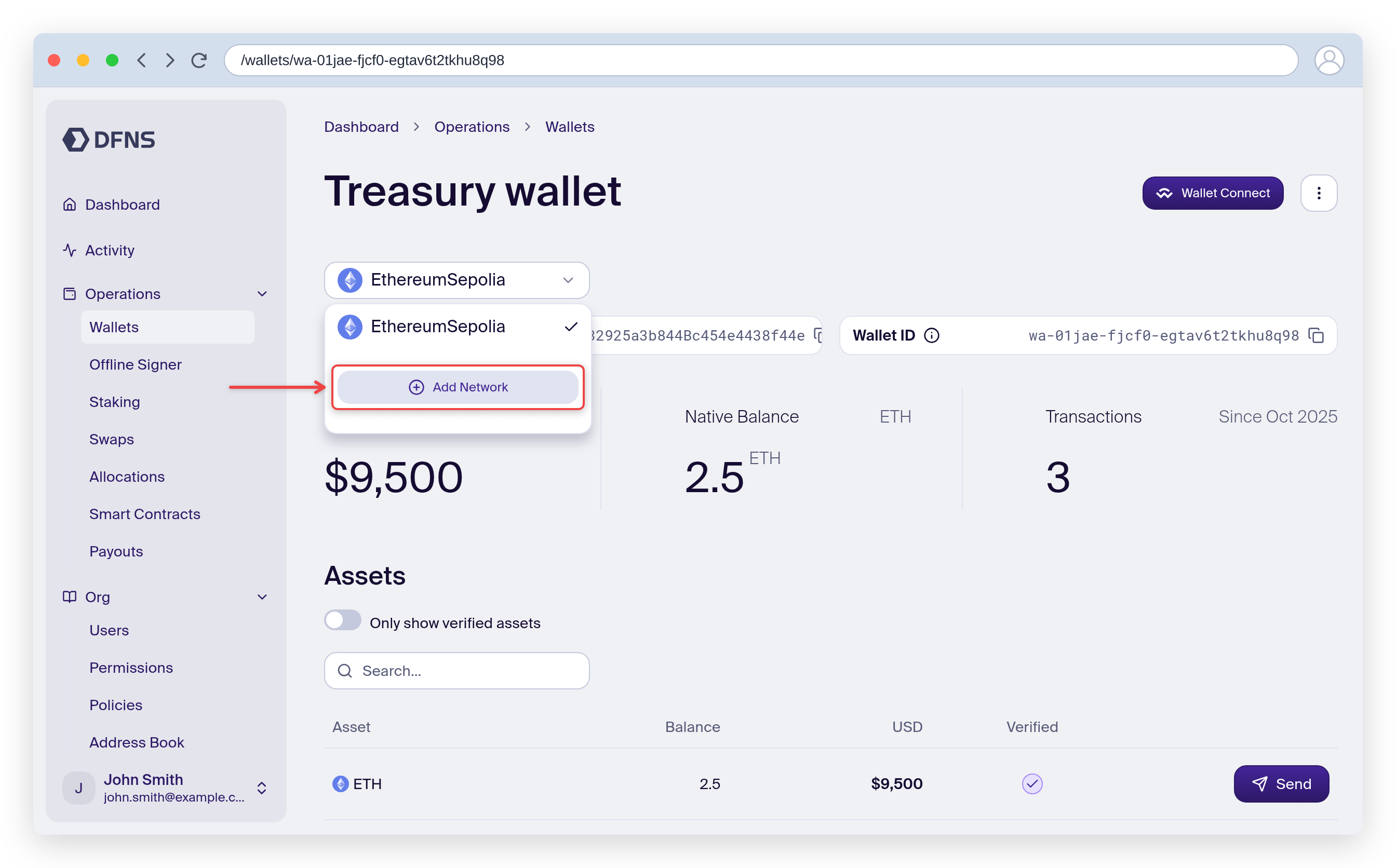
Open the menu and select "Add Network".
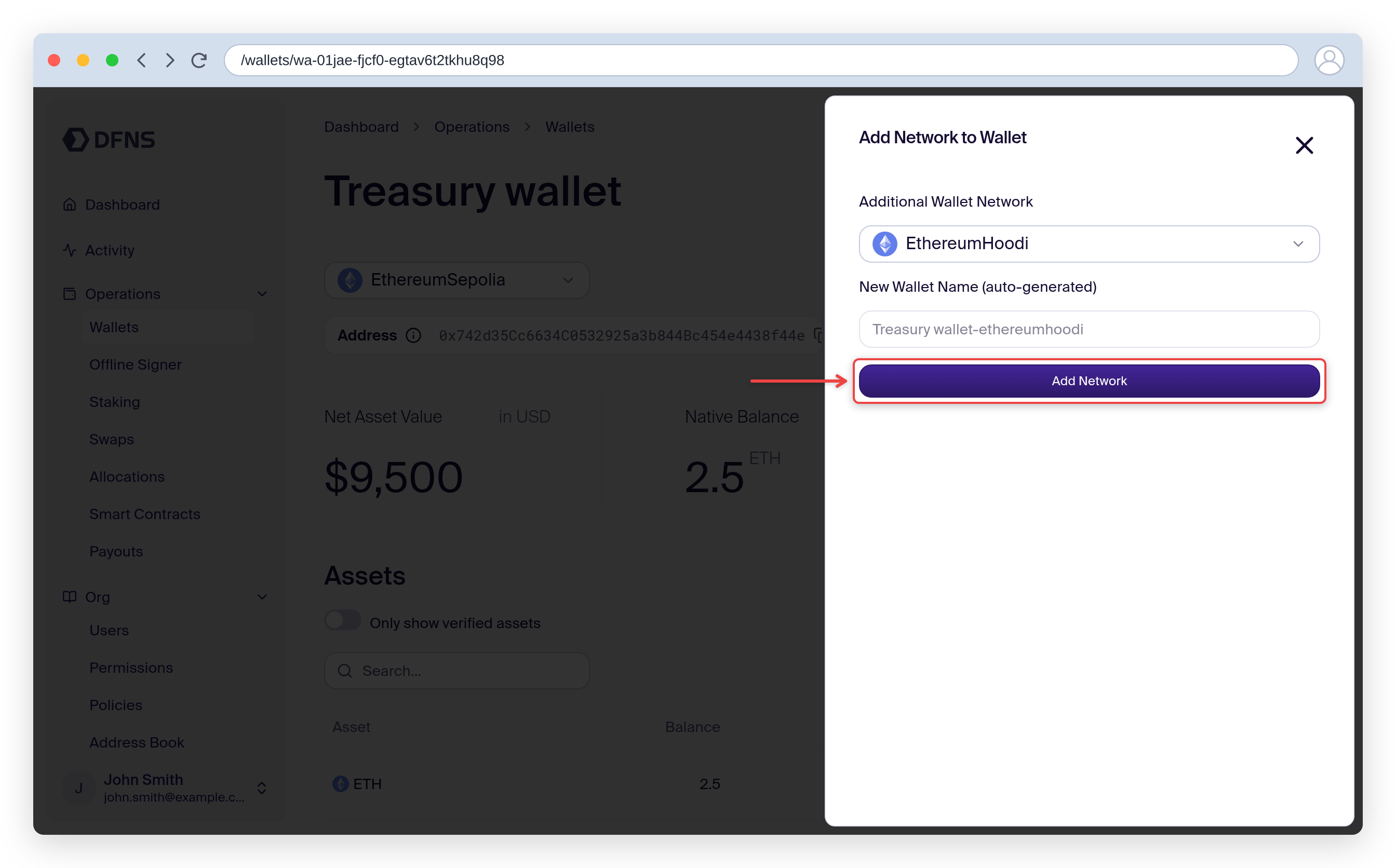
Select the target network (e.g., Base) and a name if needed.
Then click "Add Network".
Sign with your 🔑 passkey.
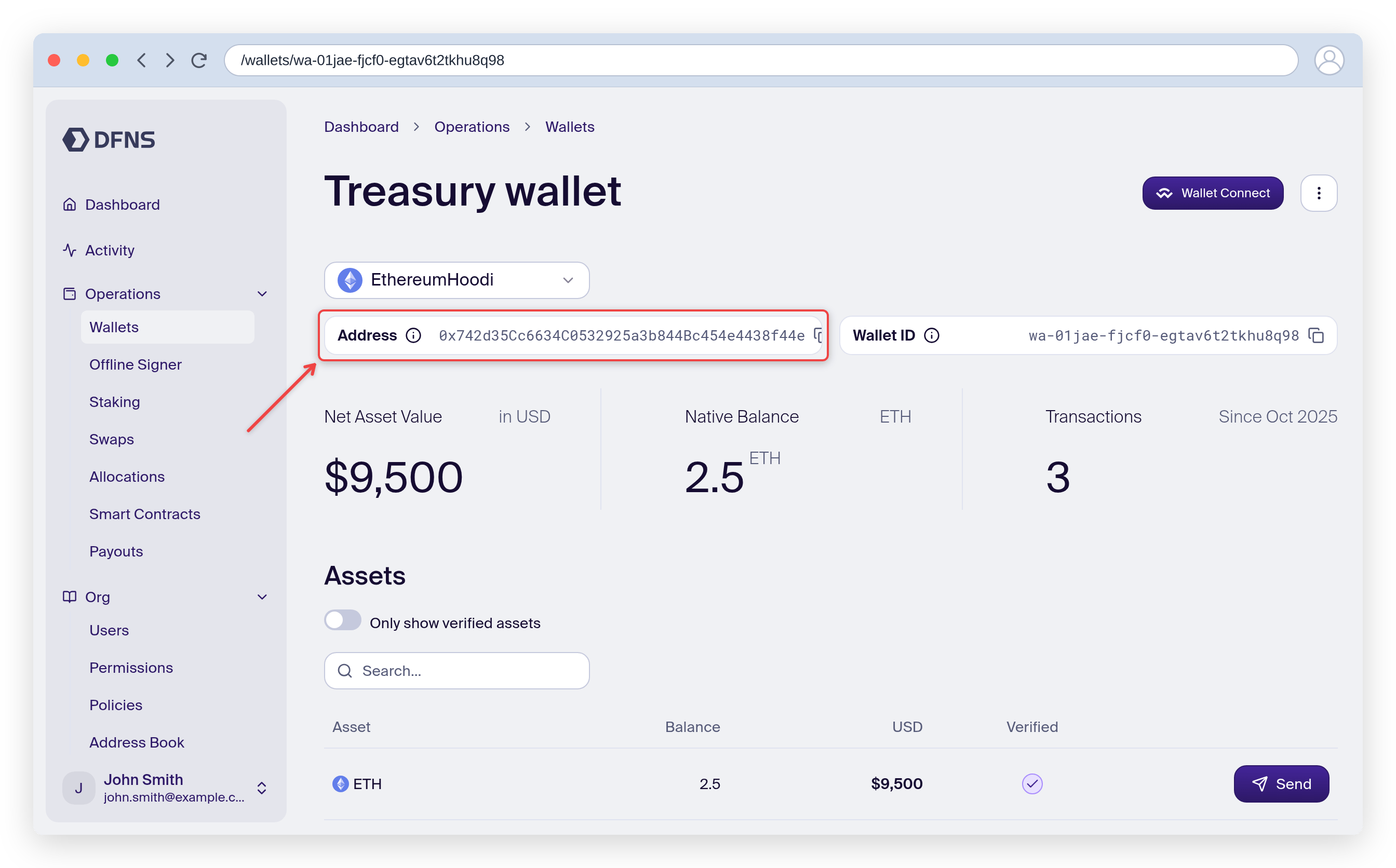
You now have a new wallet on the selected network that shares the same address as the original wallet.
Your new wallet shares the same address as the original. Assets on both chains will be tracked separately in DFNS.
Deleting one of the wallets will delete the underlying key and all associated wallets. Be cautious when deleting multichain wallets.
## Example: recovering tokens sent to wrong network
If someone sends tokens to your Ethereum wallet address but on Base (or another EVM chain):
1. Open your Ethereum wallet and open the multichain menu
2. Create a new wallet on Base
3. The new Base wallet will have the same address, giving you access to the tokens
## Related
* [Keys & Multichain - Migration Guide](/deprecation/keys-and-multichain-migration-guide) for API usage
* [Transfer assets](/guides/transfer-assets) to send tokens from your wallet