

When to use a service account
Use a service account when you need to:- Call the DFNS API from your backend server
- Run automated processes (scheduled transfers, batch operations)
- Build applications that create wallets or manage users on behalf of your organization
Create the service account
1
Generate a keypair
Your service account authenticates by signing API requests with a private key. Generate the keypair yourself — only the public key is uploaded to DFNS; the private key never leaves your control and DFNS never sees it. Generate it on the machine or secrets manager that will use it, not on a shared workstation.RSA 2048 is the minimum; DFNS also accepts ECDSA (P-256) and Ed25519 public keys (see the note in the next step) if you prefer a smaller, modern key. Generate a dedicated key for this service account — don’t reuse one across accounts or environments. See Generating and storing keys safely below before you continue.
2
Create the service account in the dashboard
- Navigate to Settings > Developers > Service Accounts (direct link: https://app.dfns.io/settings/service-accounts)
- Click New Service Account
- Enter a name (e.g., “Backend Server” or “Trading Bot”)
- Paste the contents of your public key file (including the
-----BEGIN PUBLIC KEY-----and-----END PUBLIC KEY-----lines) - Click Create and 🔑 sign with your passkey
DFNS accepts only PEM-encoded SPKI public keys — the
-----BEGIN PUBLIC KEY----- … -----END PUBLIC KEY----- block produced by openssl pkey -pubout (for ECDSA, EdDSA, or RSA keys). OpenSSH-format keys (ssh-ed25519 AAAA..., ssh-rsa AAAA..., ecdsa-sha2-nistp256 ... — the contents of a .pub file) are rejected as the wrong format. If your key is in OpenSSH format, convert it to PEM first: ssh-keygen -f id_ed25519.pub -e -m PKCS8.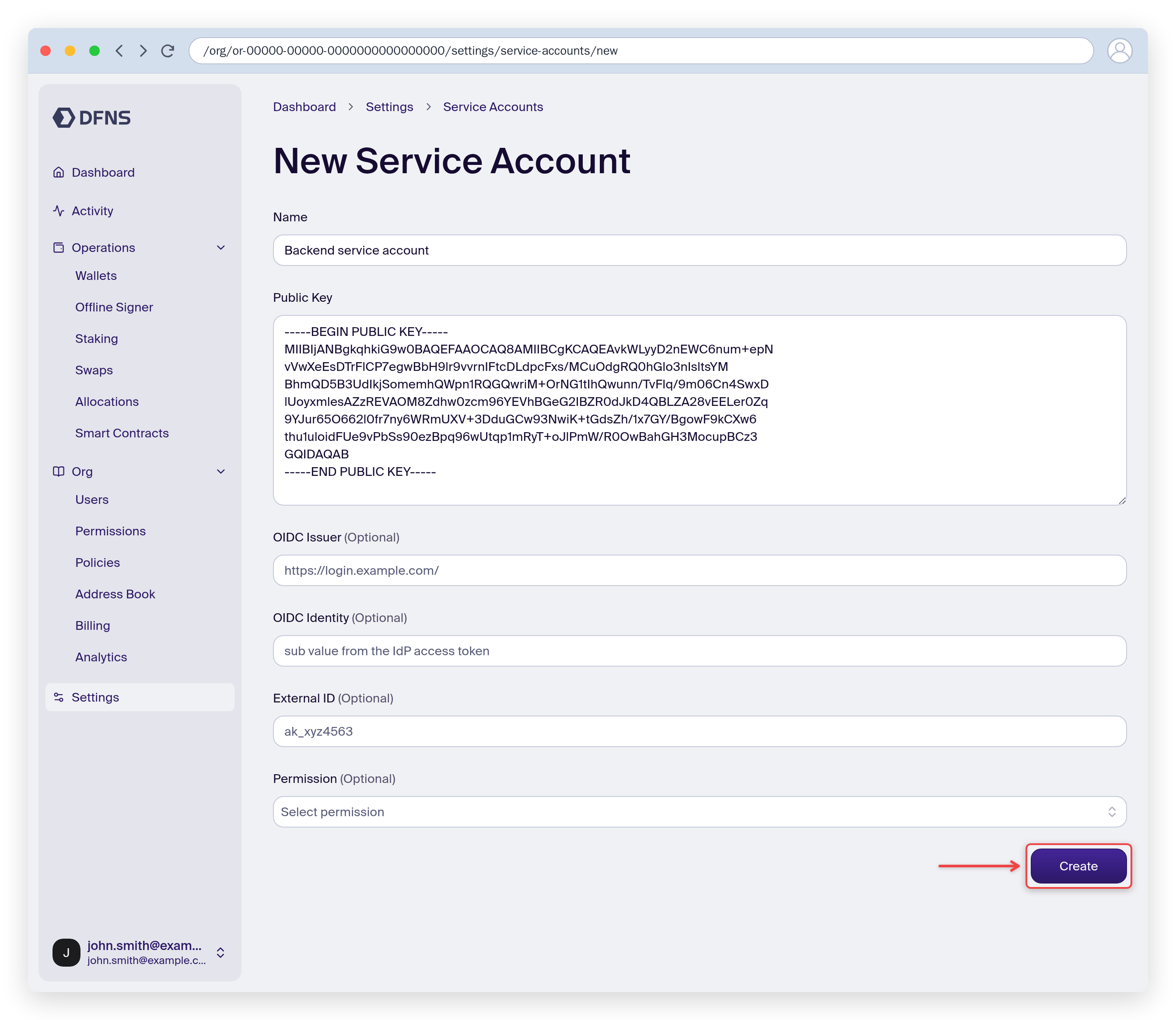
3
Save the authentication token
After creation, you’ll see the service account token. Copy it immediately - it won’t be shown again.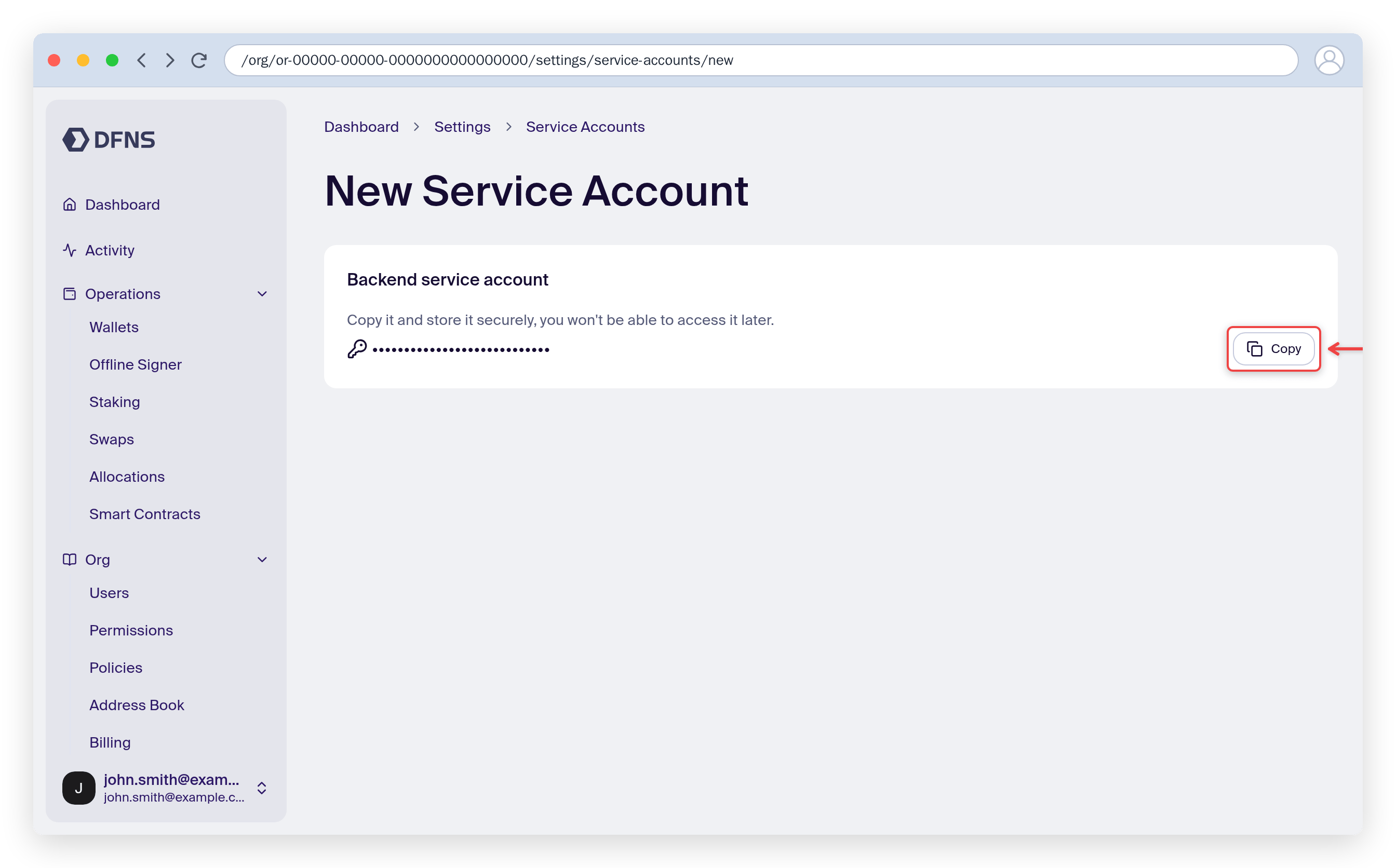
Service account tokens are valid for 2 years by default, which is also the maximum. To set a shorter lifetime, pass
daysValid (or secondsValid) when creating the service account via the API; the dashboard always uses the default. When a token expires, requests fail with a 401, and you need to rotate the credential.4
Review permissions
By default, a new service account has no permissions. You must explicitly assign a role with the permissions it needs:
- Navigate to Settings > Roles and create a new role with only the required permissions
- Go back to Settings > Developers > Service Accounts and click on your service account
- Assign the dedicated role
See the full list of permissions for all available options.
Generating and storing keys safely
The private key, together with the token, lets anyone call the API as this service account. Treat it like a production secret.- Generate it where it will run. Create the keypair on the server or secrets manager that will use it. Only the public key goes to DFNS; the private key should travel no further than it has to.
- Lock down the file. Restrict the private key to its owner (
chmod 600, or theumask 077shown above). For extra protection at rest, encrypt it with a passphrase (openssl genrsa -aes256 -out service-account.pem 2048). - Never commit it. Keep the private key and token out of source control, container images, CI logs, and committed
.envor example files. Load them from a secrets manager (AWS Secrets Manager, HashiCorp Vault, or your cloud provider’s equivalent) or from environment variables injected at runtime. - One key per account and environment. Use separate service accounts — and separate keys — for production and non-production, and for distinct automations, so you can revoke one without disrupting the others.
- Rotate on a schedule and on suspicion. Rotate the key periodically, and immediately if it may have been exposed. See credential rotation.
- Scope permissions tightly. Give the account only the permissions its job needs (see Review permissions) so a leaked key has a limited blast radius.
Service account limitations
Service accounts can perform most operations, but some actions require human interaction:Service accounts can participate in policy approvals when explicitly enabled on the approval group. This feature requires activation by DFNS staff on your organization.
Using your service account
You now have everything needed to make API calls:
See the TypeScript SDK service account example for a complete implementation.
Related
Sign requests
How to sign API requests with your service account
Permissions reference
Full list of available permissions