From the dashboard
Once you have generated API credentials on your exchange (see the provider pages above), connect the account and move funds under Integrations → Exchanges.1
Start the connection
Open Integrations, find your exchange’s card, and click Configure.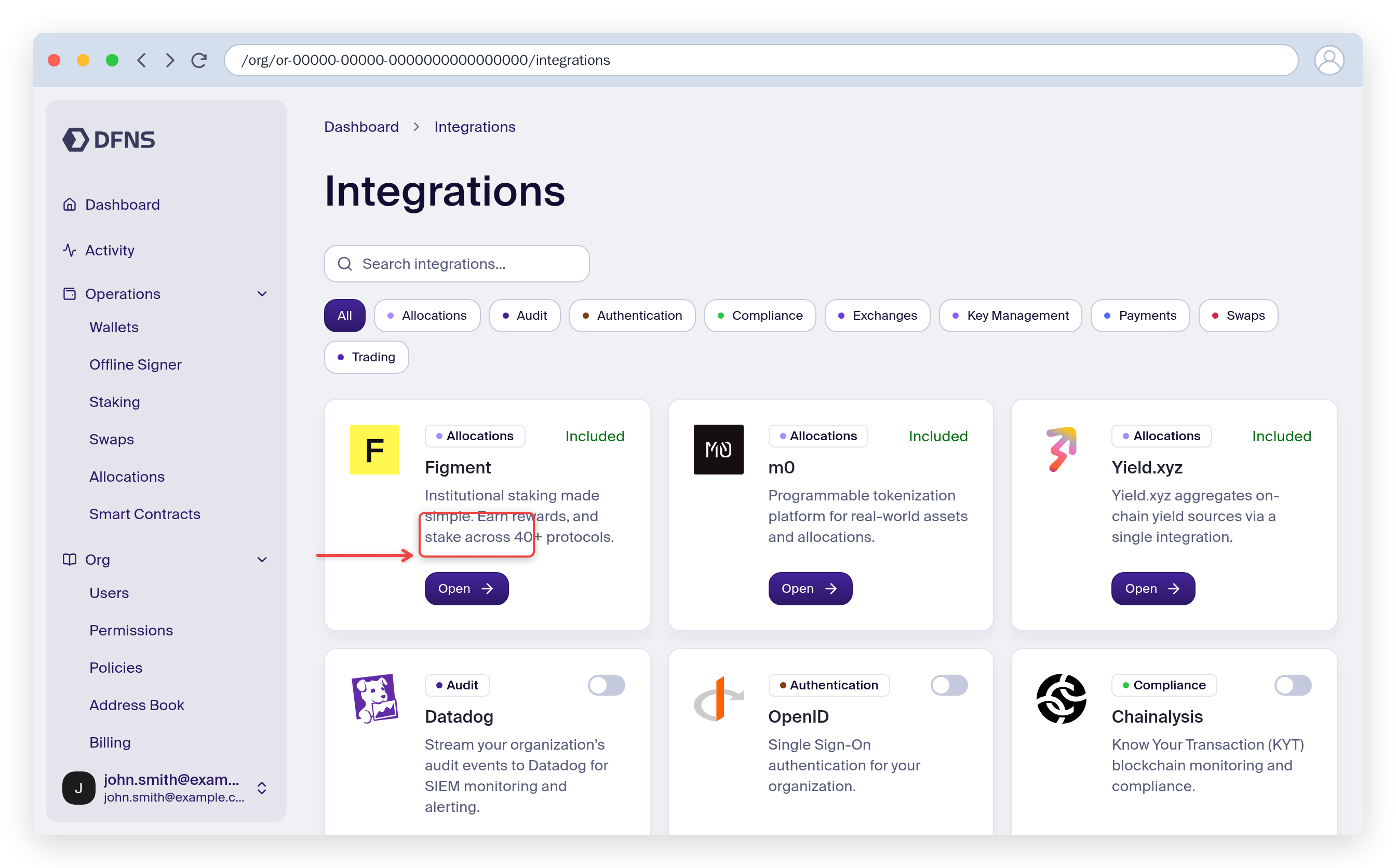
2
Add your API credentials
Click New, select the exchange, and paste the Read and Write API keys you generated on the exchange into the matching fields. Click Create to connect the account.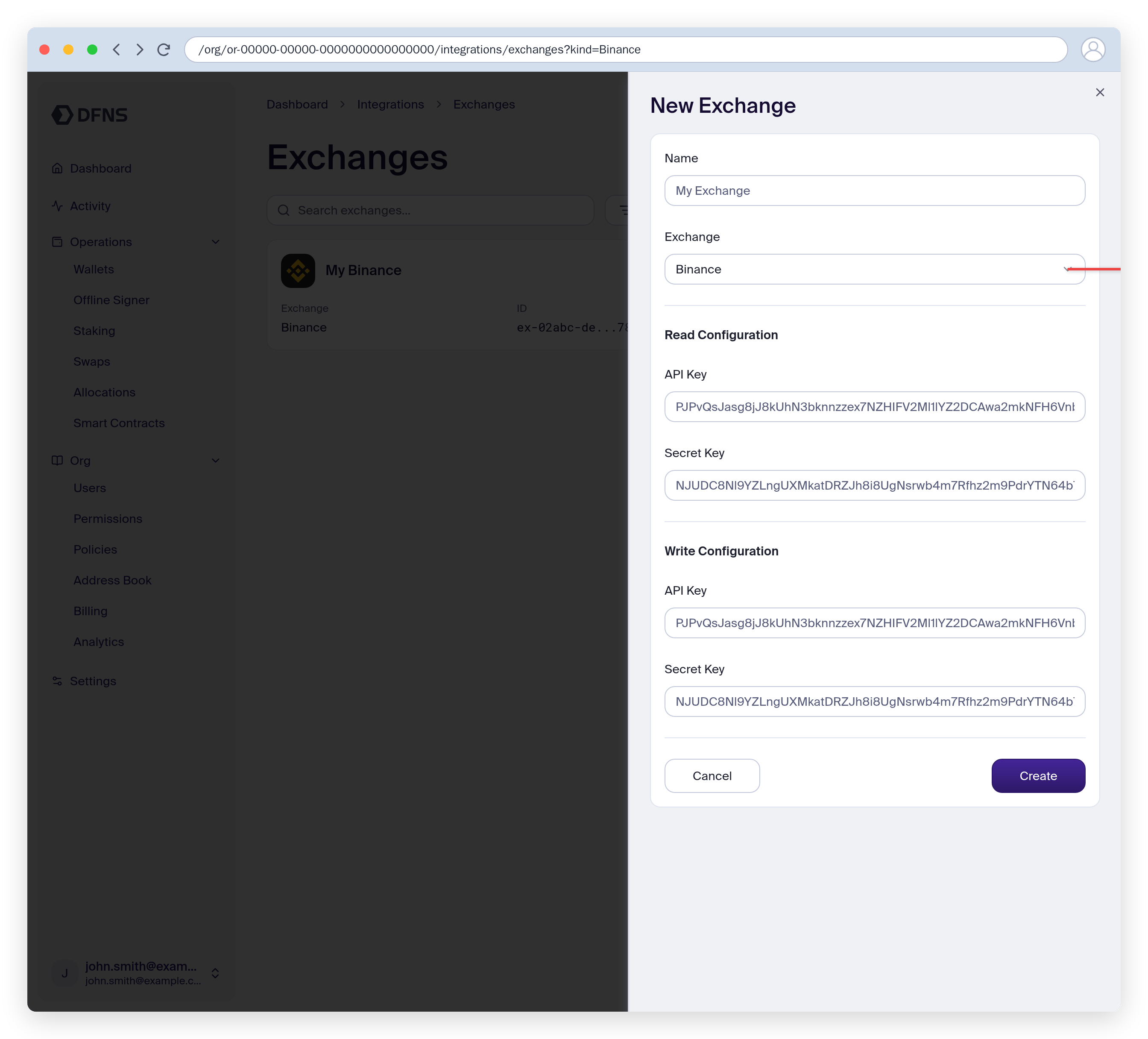
3
Open the exchange account
The connected account lists each asset’s balance with per-asset Deposit and Withdraw actions. This is your exchange account, not a DFNS wallet.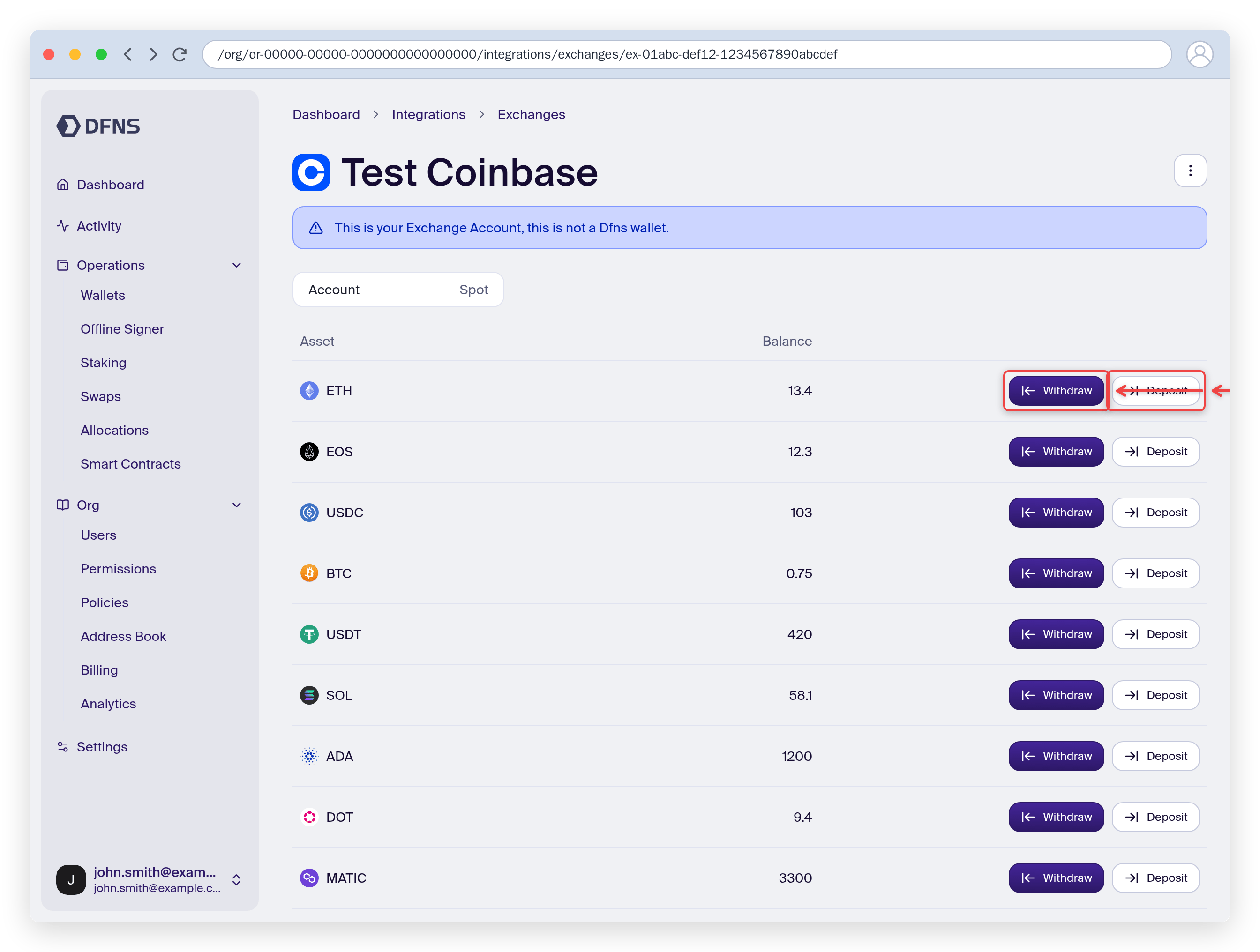
4
Deposit into the exchange
Choose Deposit, pick the DFNS wallet to fund from and the amount, then confirm to move assets from your wallet to the exchange.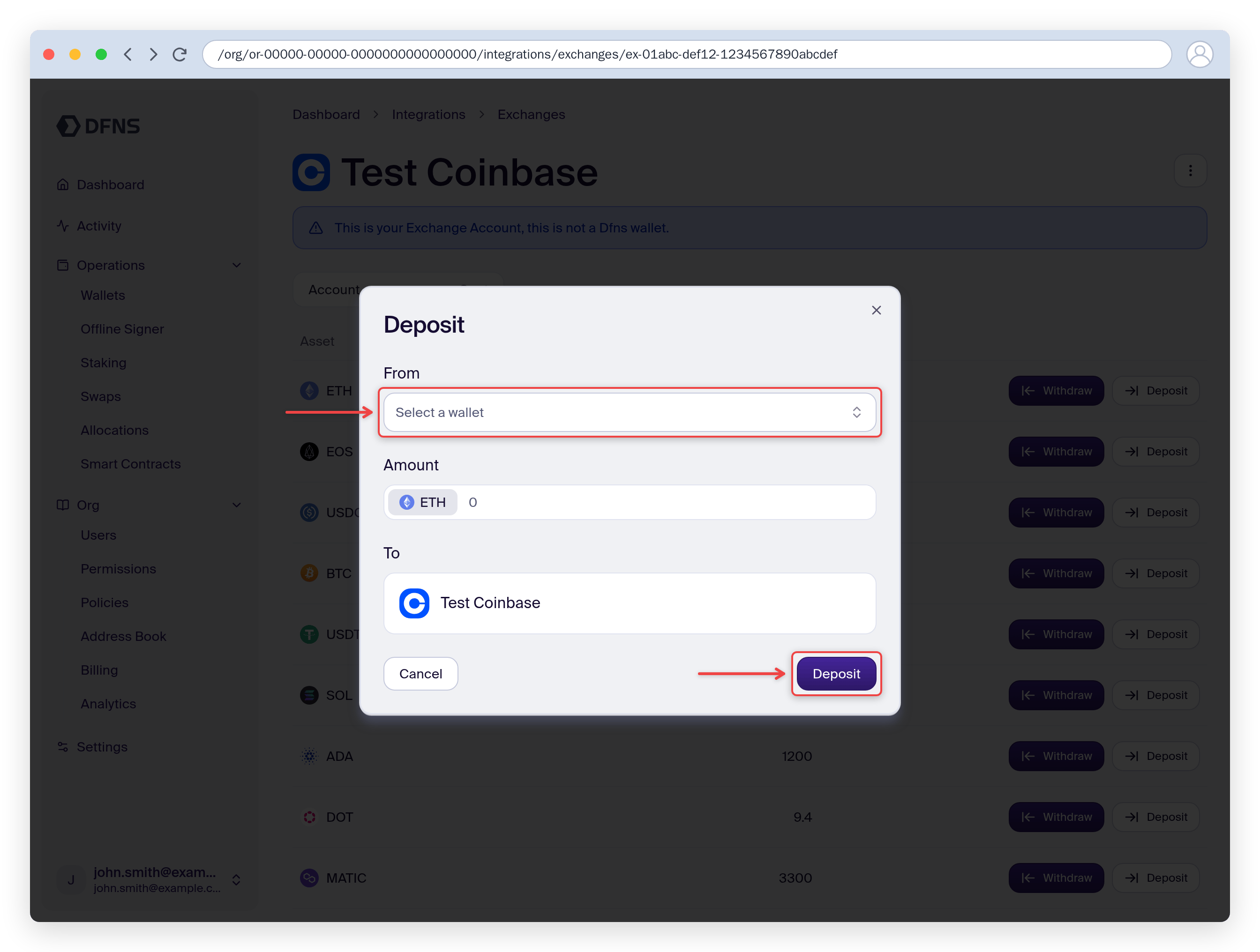
5
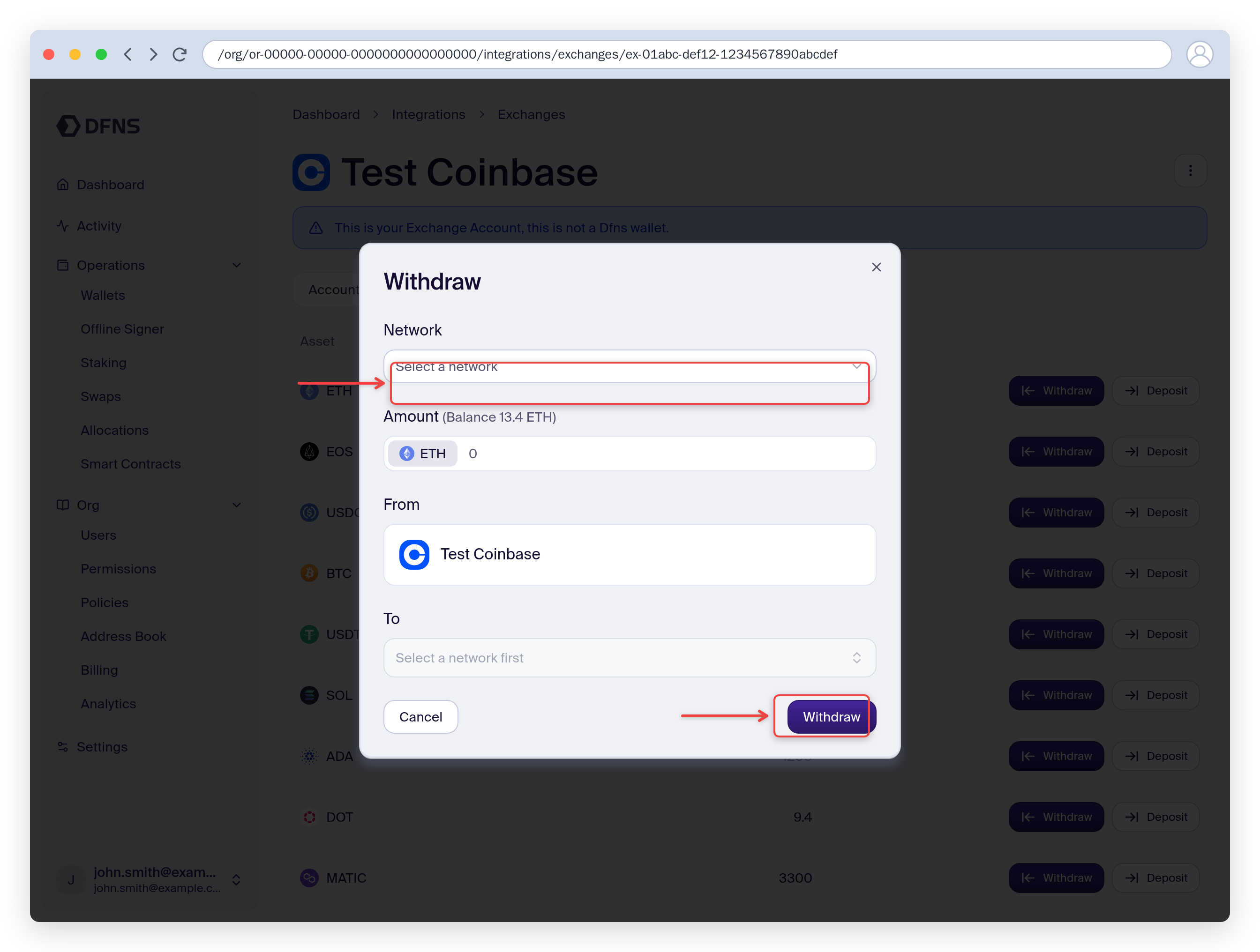
Withdraw to a wallet
Choose Withdraw, select the network and destination, then confirm to move assets from the exchange back to a DFNS wallet.