For programmatic access, use the API.
Prerequisites
- A Circle Mint account with API credentials
- A DFNS wallet on a supported network
Payins:Createpermission to create payins, andPayins:Readto view them (permissions)
Connect Circle Mint
1
Open the Circle Mint integration
In the dashboard, go to Integrations, find the Circle Mint card, and click Configure.
2
Enter your credentials
Check Activate Circle Mint Integration, enter your Circle Mint API Key, and click Save.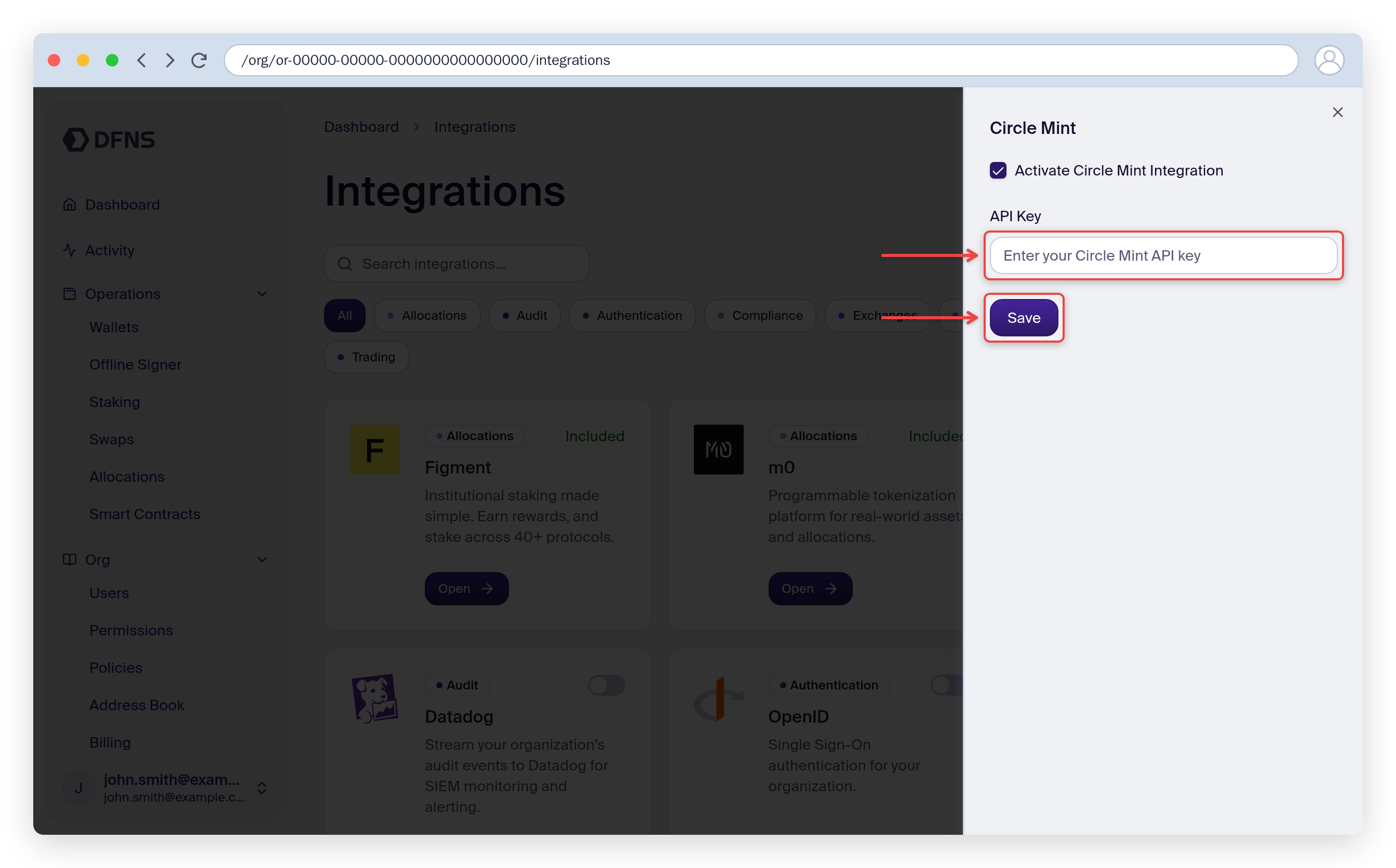
Register a recipient
Before a wallet can receive payins, its address must be registered as a payin recipient with Circle Mint and approved by an administrator in the Mint Console. Register the destination wallet from the Circle Mint page, then approve the recipient in the Mint Console. The recipient becomes usable once its status is Active.Create a payin
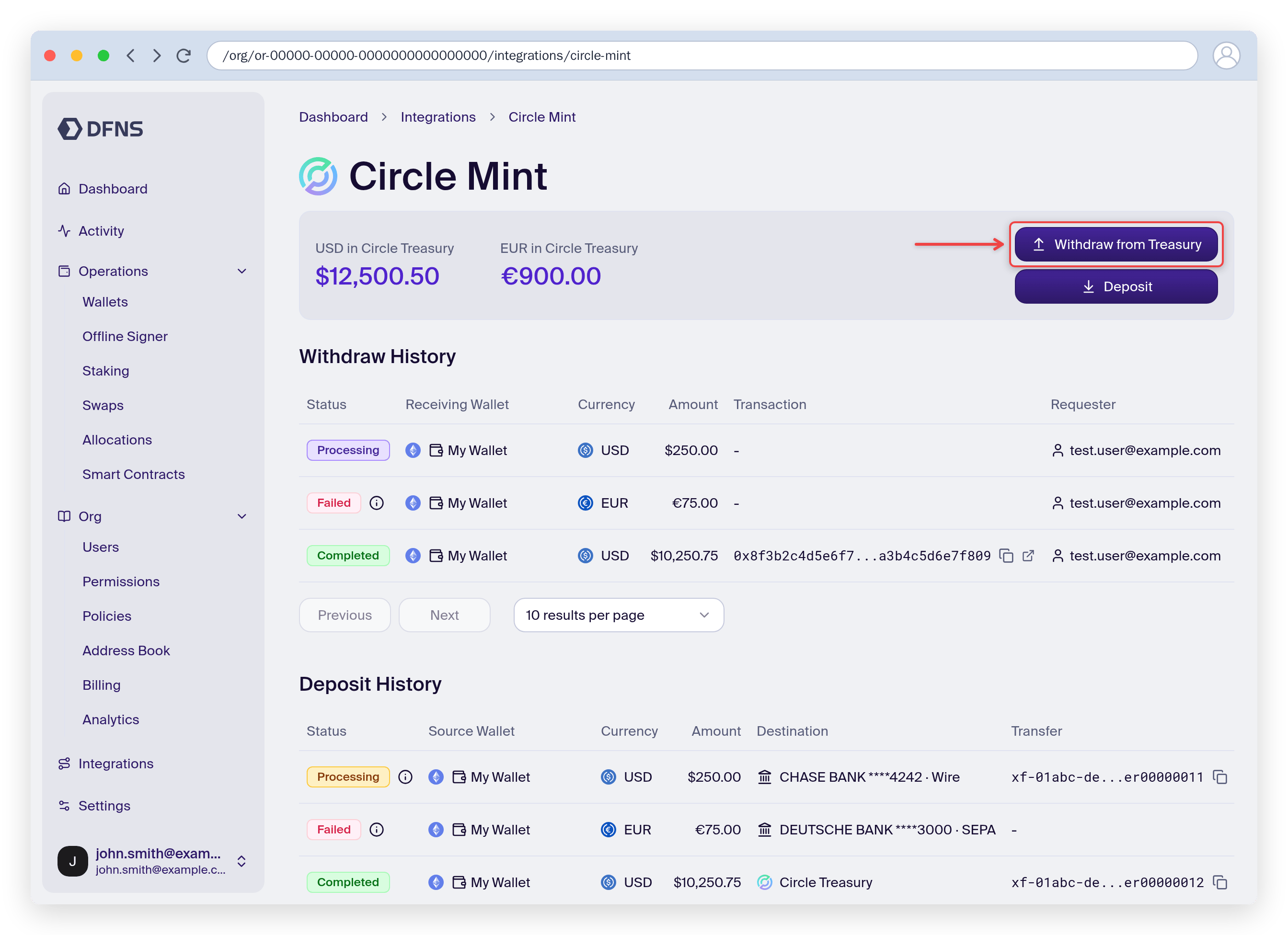
On the Circle Mint page, click Withdraw from Treasury to open the payin form.1
Choose the destination and amount
Select the destination wallet, enter the amount, and pick the currency, then click Review. The currency determines the delivered stablecoin — USD delivers USDC, EUR delivers EURC.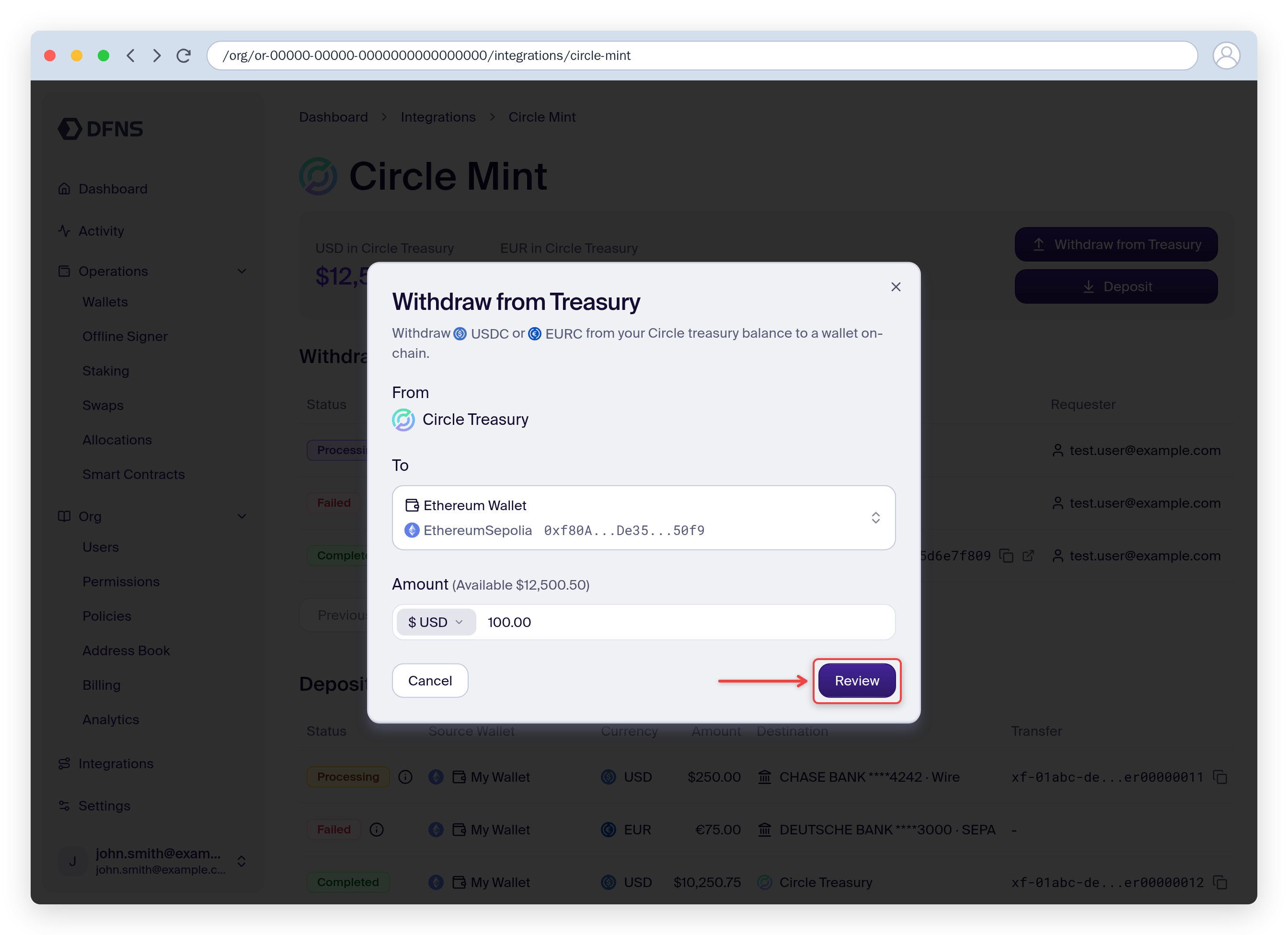
2
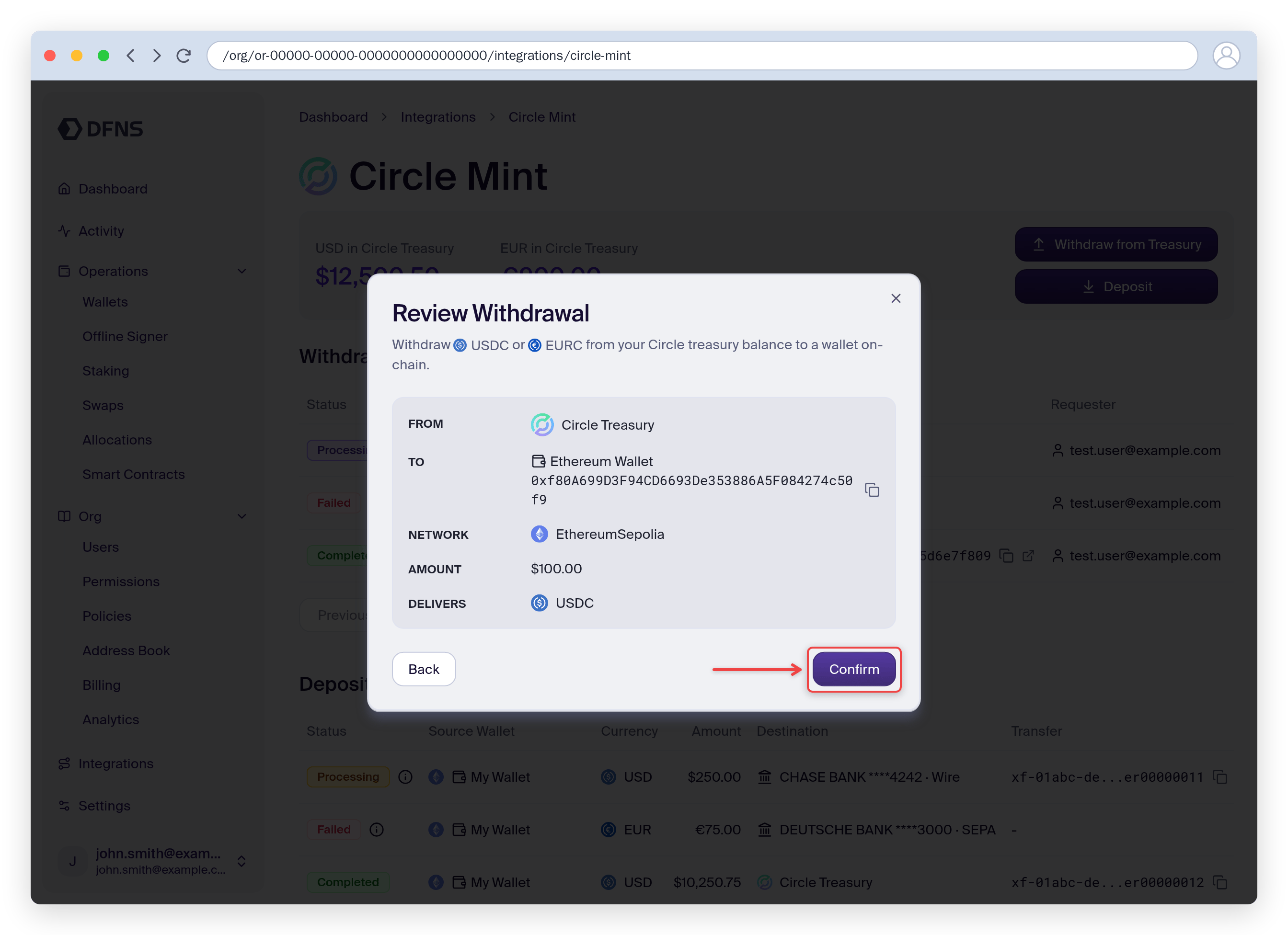
Review and confirm
Review the withdrawal details, then click Confirm. DFNS delivers the stablecoin from your Circle Mint balance to the wallet on-chain.