

When to use durable nonces
A transfer can involve asynchronous steps, in this order of execution, and each can take far longer than the ~90-second window:- Policy review. A transfer that triggers an approval policy waits for reviewers before it is signed and broadcast. Turn on Use Durable Nonce on any transfer that may wait for approval.
- Offline signing. A wallet on the Offline Signer key store signs out-of-band, so the wait before broadcast is unbounded. Every transfer from it uses a durable nonce — the dashboard enforces this and reminds you at wallet creation. An HSM-backed wallet can also be operated offline; the dashboard can’t detect that from the key store, so turn on Use Durable Nonce yourself on its transfers.
Create nonce accounts
1
Open the wallet actions
In Wallets, open the Solana wallet, then open the action menu and select Add Nonce Accounts.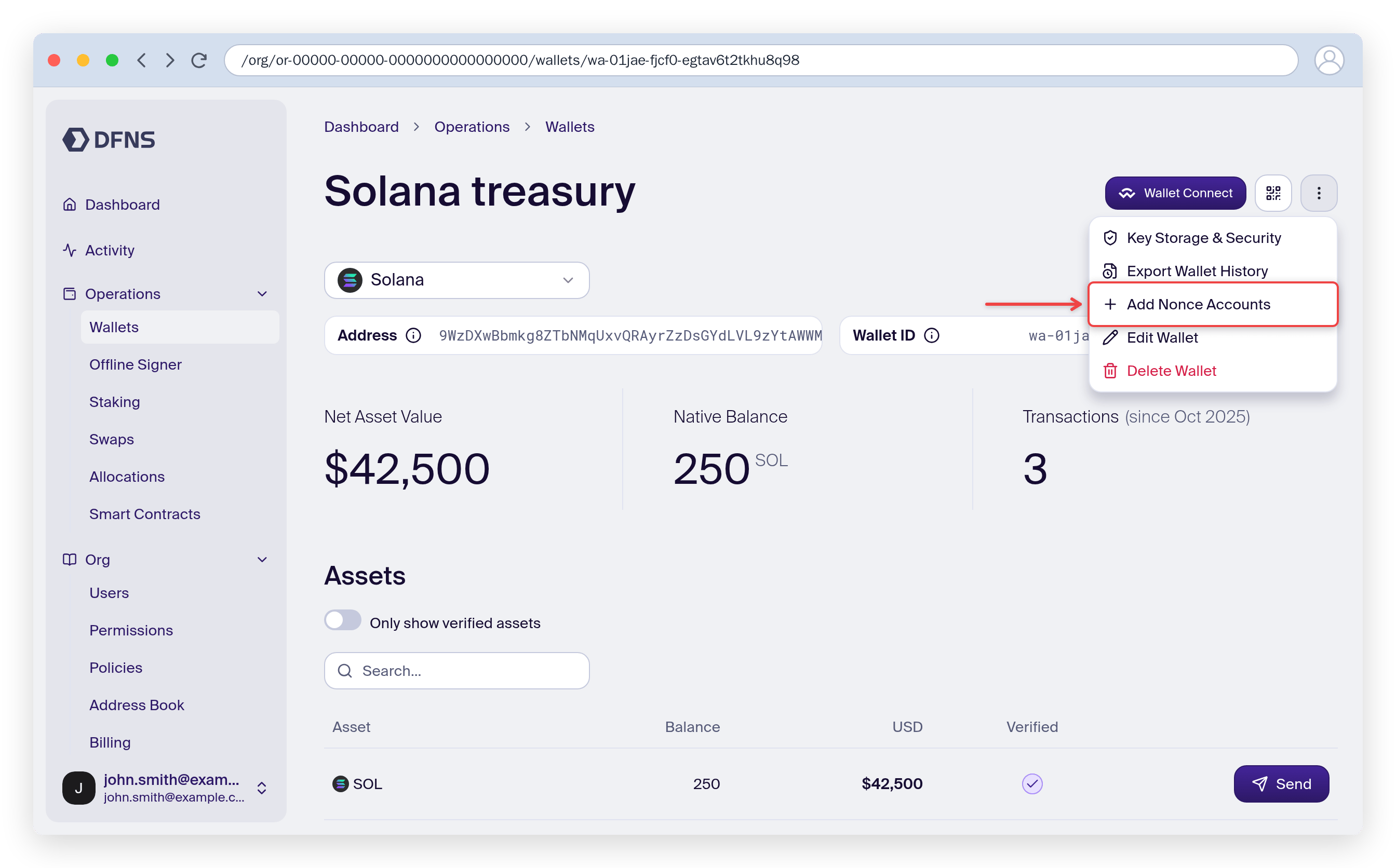
2
Choose who owns and who pays
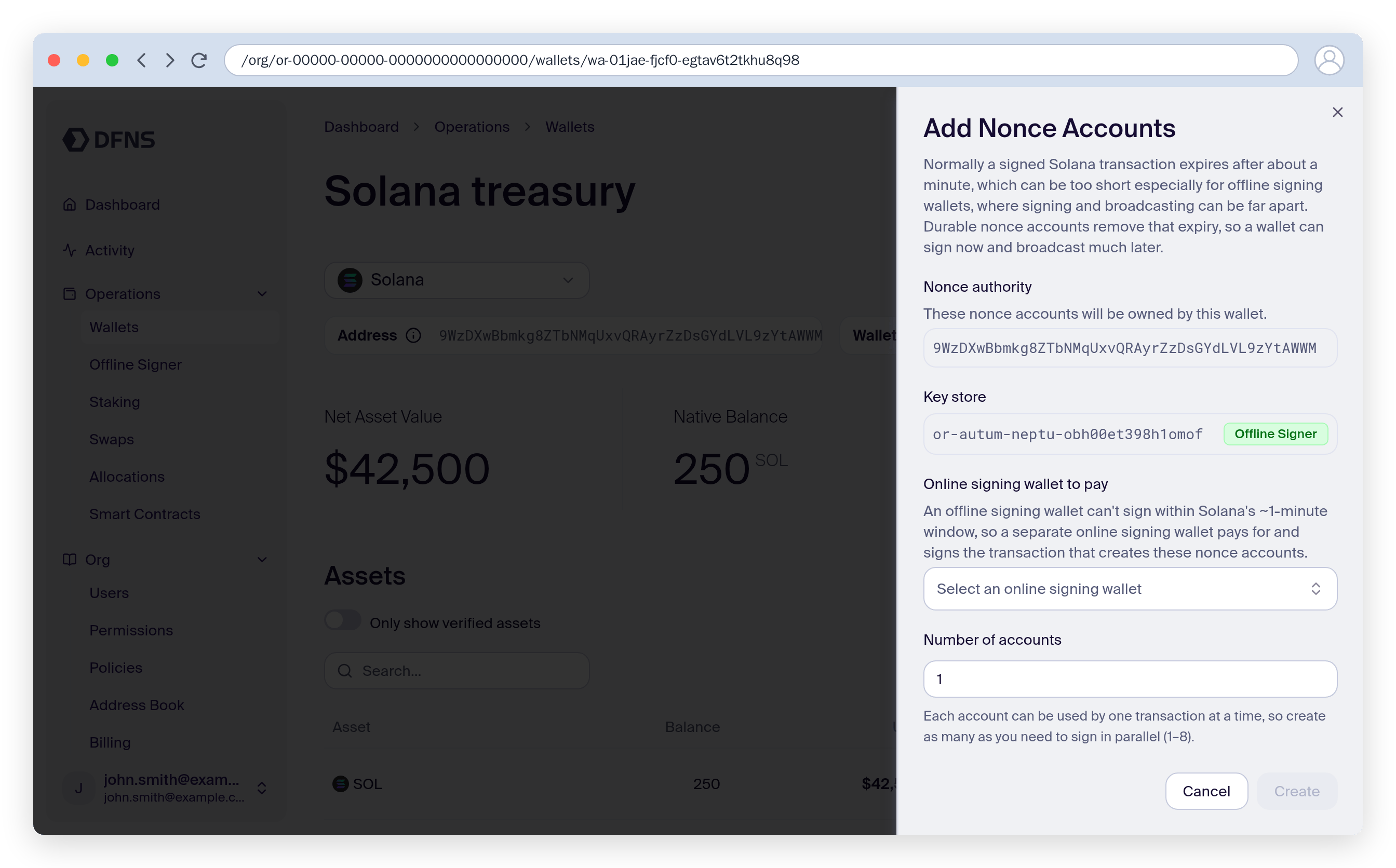
The sheet adapts to the wallet’s key store: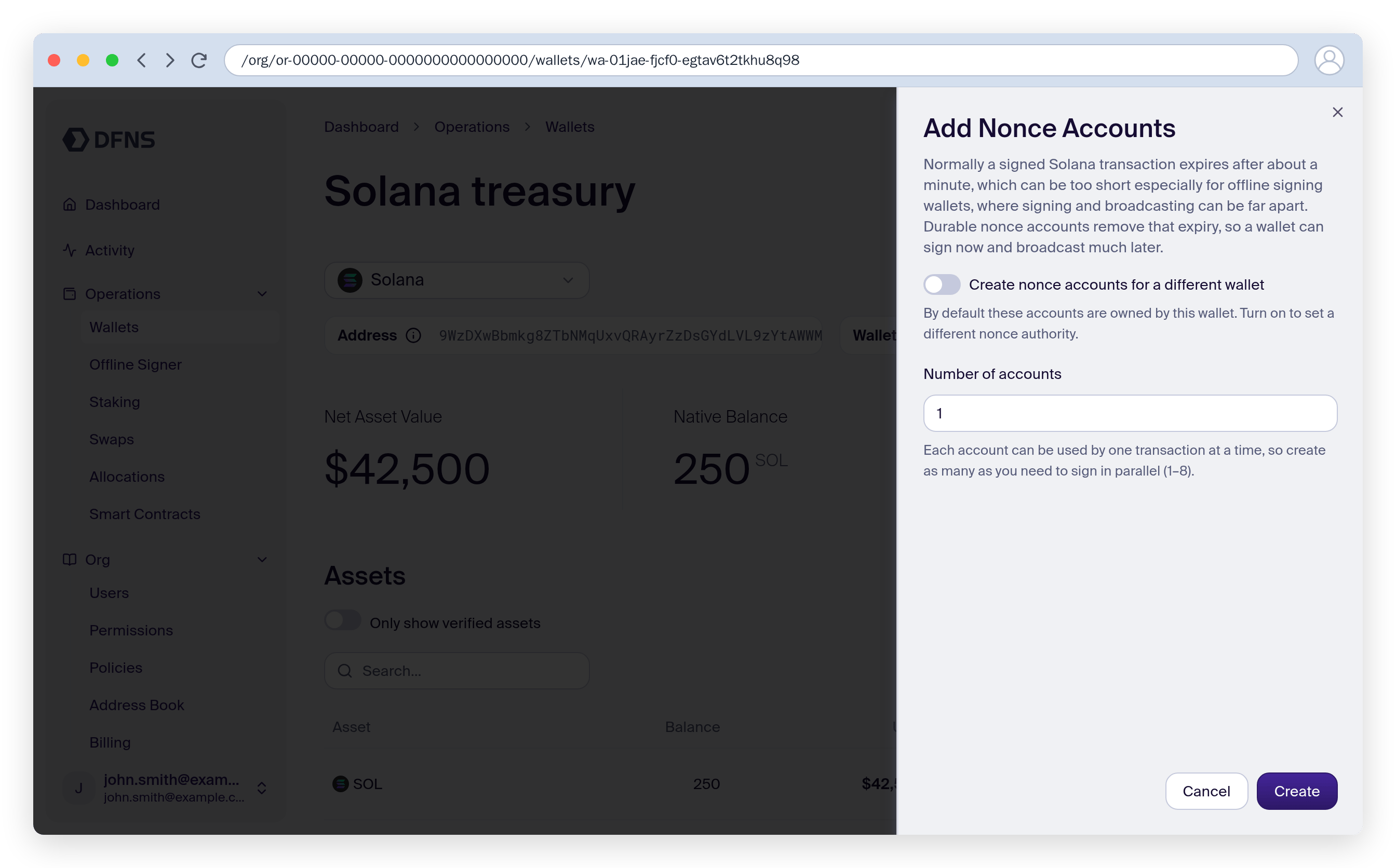
- Online signing wallet (MPC, or an HSM that signs online): the wallet pays for the setup and owns the resulting nonce accounts. To provision accounts for another wallet instead — typically one that signs offline — turn on Create nonce accounts for a different wallet and pick it as the nonce authority.
- Offline signing wallet: the wallet becomes the nonce authority, and you select a separate online signing wallet on the same network to pay for and sign the setup transaction. For an HSM that signs offline, turn on This HSM signs offline to switch to this mode.
3
Set the number of accounts and create
Each nonce account serves one in-flight transaction at a time, so create as many as you need to sign in parallel (1–8 per request). Each account locks a small rent-exempt SOL deposit, paid by the paying wallet. Select Create and sign. If a policy applies, the request shows as pending until approved.
Send a transfer with a durable nonce
The wallet must already own at least one nonce account — a durable-nonce transfer never creates one automatically, it is rejected instead.1
Start the transfer
On the wallet, select Send for the asset and fill in the recipient and amount. Durable nonces are supported for native SOL and SPL / SPL-2022 token transfers.
2
Enable the durable nonce
Turn on Use Durable Nonce. For wallets that sign offline this step doesn’t exist: the transfer always uses a durable nonce, and the form links to Add Nonce Account if the wallet needs one.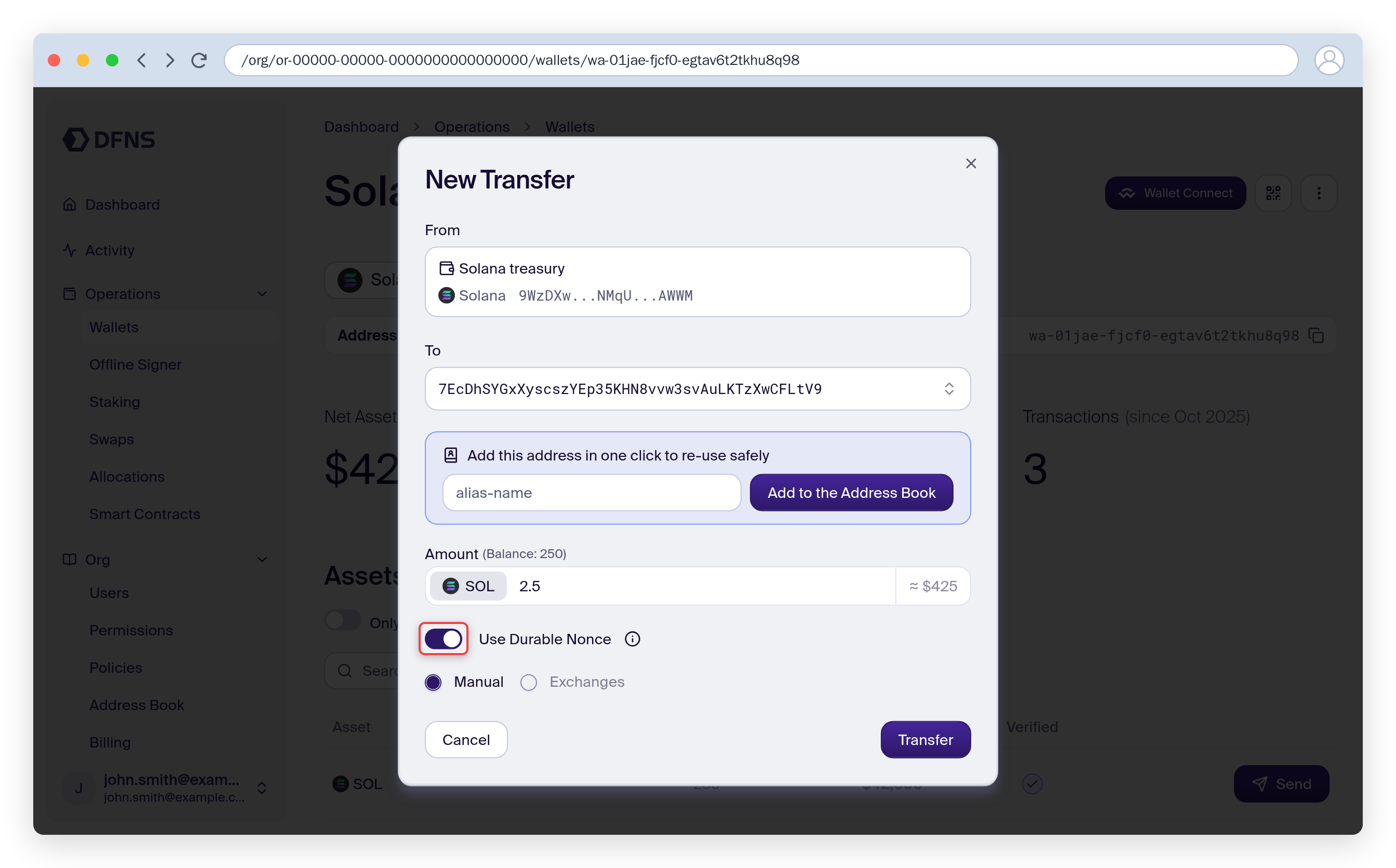
3
Review and confirm
The confirmation step shows a Durable nonce row so you can verify it before signing. DFNS reserves a free nonce account from the wallet’s pool, builds the transaction against it, and advances the nonce automatically when the transaction executes.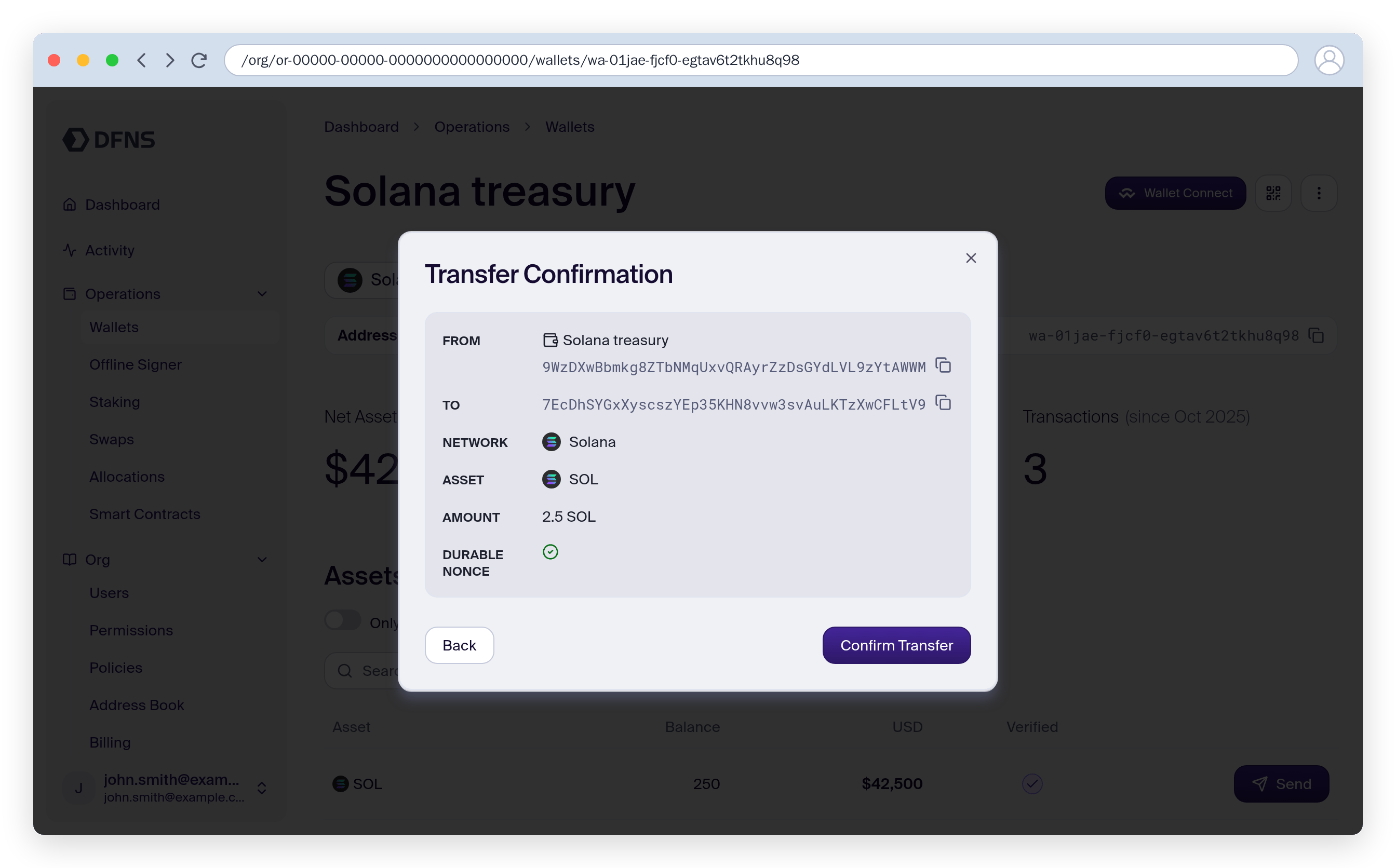
no nonce account available — create one first. If every account in the pool is reserved by an in-flight transfer, the transfer is rejected with all nonce accounts are currently reserved — wait for one to be released, or add more accounts for a higher parallel-signing capacity.
Keep track of nonce accounts
Neither the dashboard nor the API lists a wallet’s nonce accounts: DFNS tracks the pool and picks a free account for each durable-nonce transfer. Two ways to stay oriented:- See the accounts on-chain. Each Add Nonce Accounts request is a signed transaction from the paying wallet. Open it from that wallet’s history on the block explorer: the transaction’s instructions show the address of every nonce account it created.
- Size the pool by capacity. The pool holds every account ever created for the wallet — accounts are reused indefinitely and the pool never shrinks on its own. Each in-flight durable-nonce transfer reserves exactly one account until it settles, so if transfers are rejected because all accounts are reserved, your parallel-signing needs have outgrown the pool: add more accounts.
Get started
Bootstrap via the API
Create nonce accounts with the CreateSolanaNonceAccounts transaction kind
Transfer via the API
Set useDurableNonce on SOL and SPL transfers