Overview
- Allocate without leaving DFNS: deposit supported assets into DFNS-managed allocation strategies and let the platform handle the rest.
- Transparent reporting: balances, APR/APY estimates, and withdrawals are visible through the API and dashboard.
Providers and protocols
DFNS Allocations exposes strategies through two providers:- M0 — the
0fnsprotocol (details below). - Yield.xyz — a set of DeFi vault strategies across multiple networks, each with its own APY. In the dashboard you can search the available protocols by provider, brand, network, and APY when creating a position.
About 0fns
0fns is an allocation protocol available in DFNS Allocations through the M0 provider. It is an extension to the M0 USD-based stablecoin $M that offers rewards to holders. With 0fns you can trade your USDC on Ethereum into 0fns and begin earning rewards right away. The conversion and redemption flows are handled by the DFNS API and dashboard using on-chain liquidity under the hood. At any time you can convert 0fns back to USDC; the platform performs an on-chain swap using available liquidity and applies competitive swap fees. Fees can be as low as 0.01% depending on the route and market conditions. Network gas and external liquidity provider fees may still apply. Key points:- Trade USDC (Ethereum) -> 0fns to start earning rewards on your balance.
- Convert 0fns -> USDC anytime via the API or dashboard; on-chain liquidity is used for the swap.
- Fees for conversions can be as low as 0.01%, which are usually offset within a few hours by the rewards earned.
From the dashboard
1
Open Allocations
In the DFNS dashboard, go to Allocations. Open positions show their balance, rewards, and APY. Click Create Position to allocate.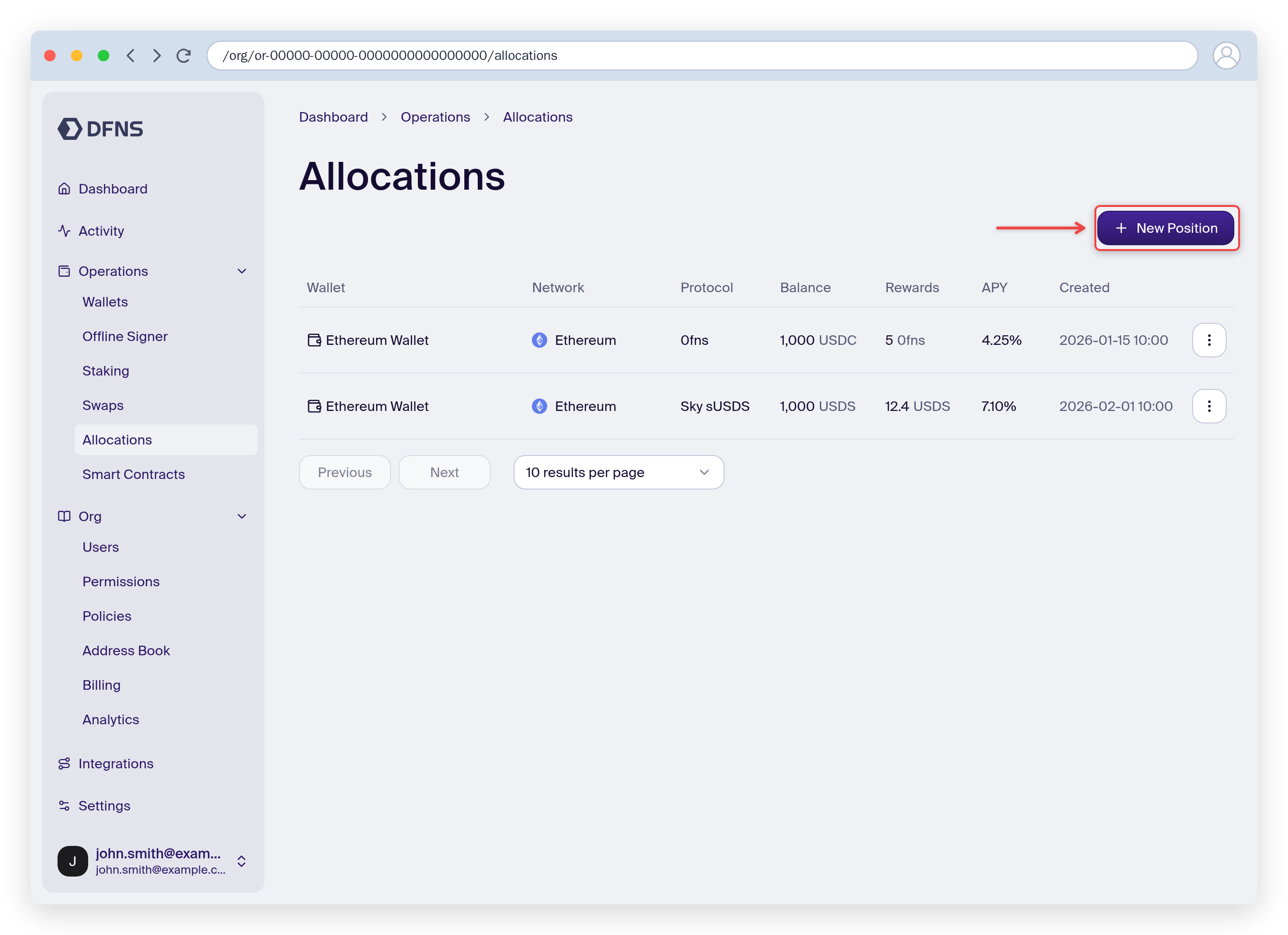
2
Create a position
Select a provider and protocol, then the wallet holding the asset to deposit and the amount to allocate.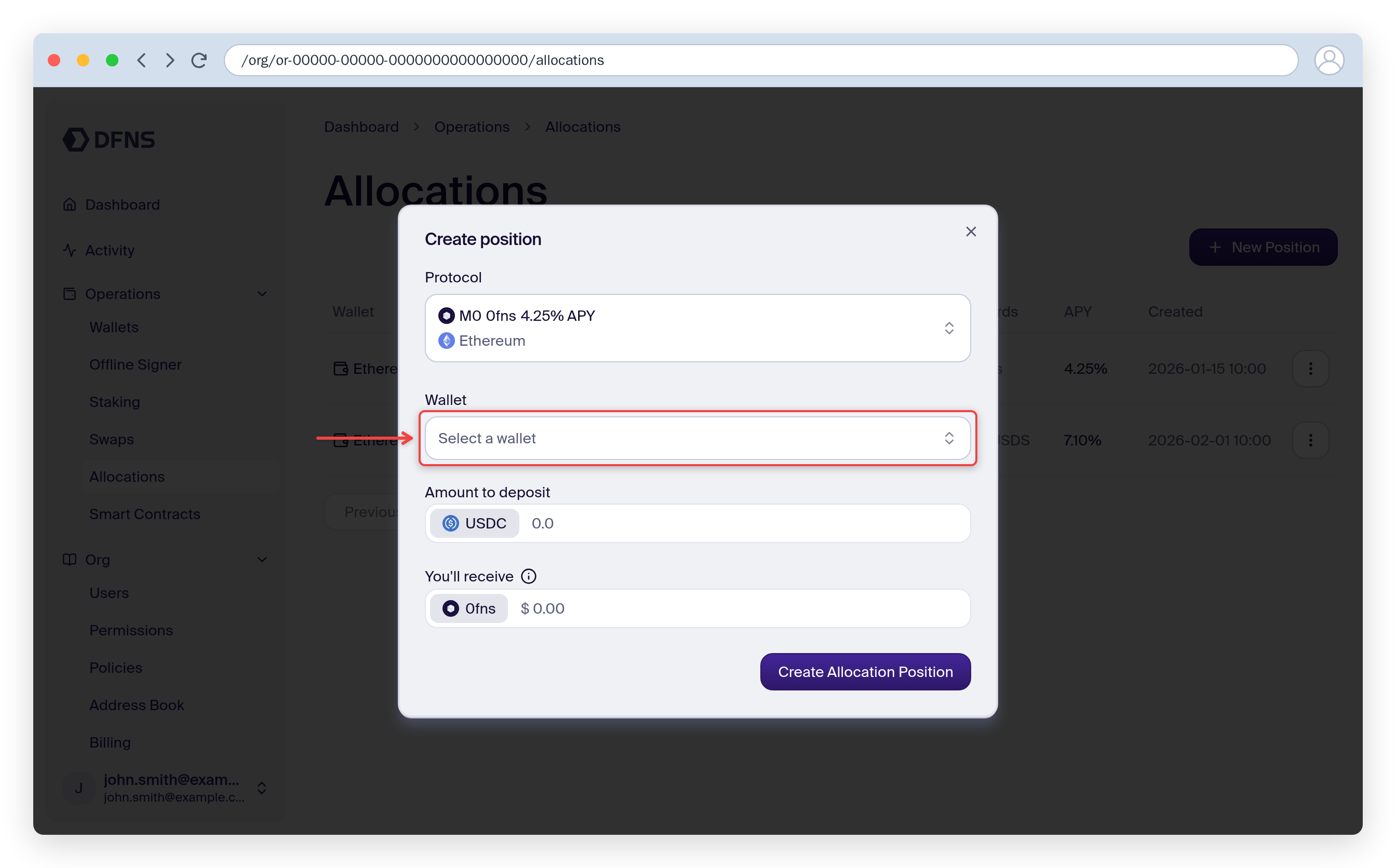
3
Manage the position
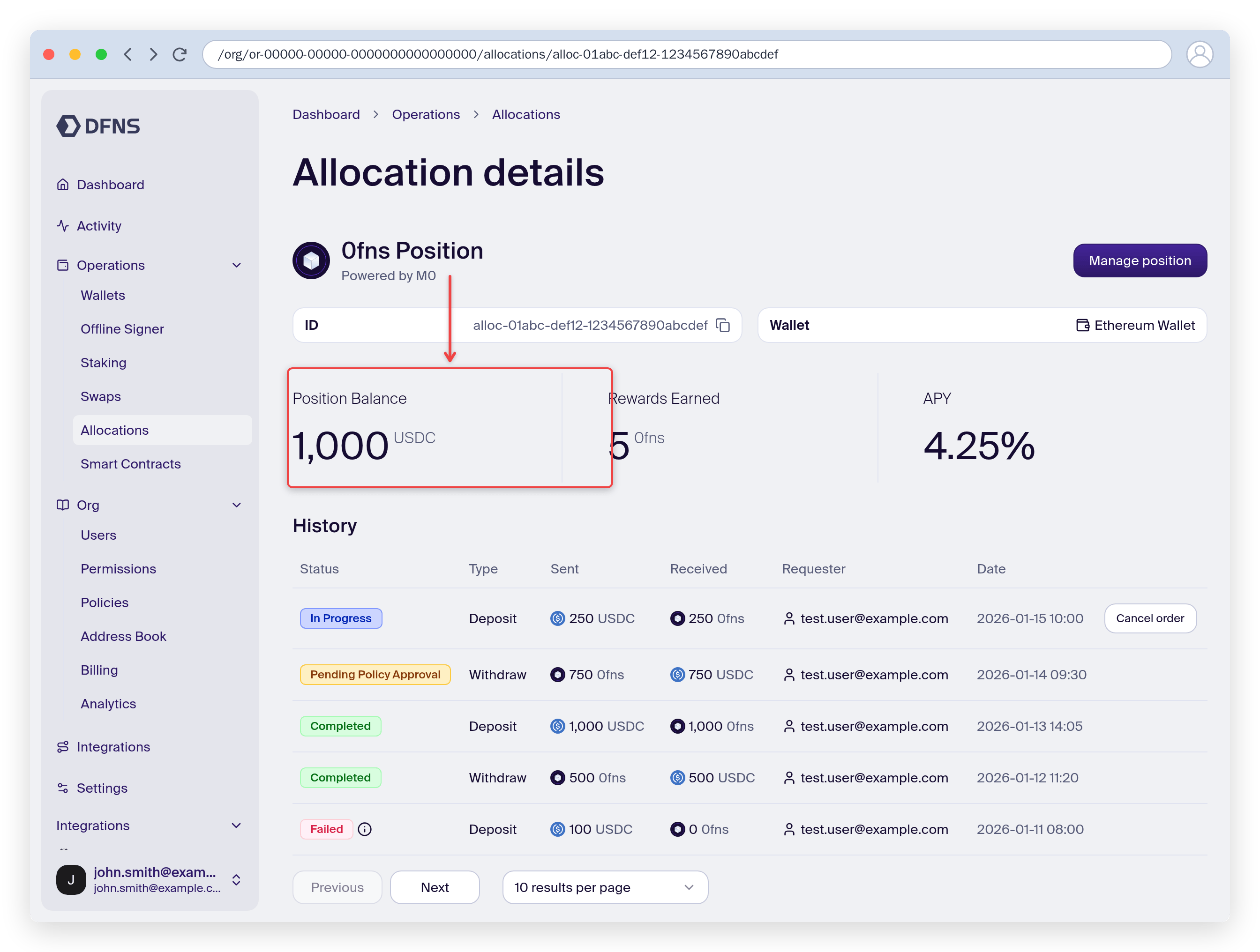
From a position’s detail page you can review its balance and rewards, and deposit or withdraw at any time.