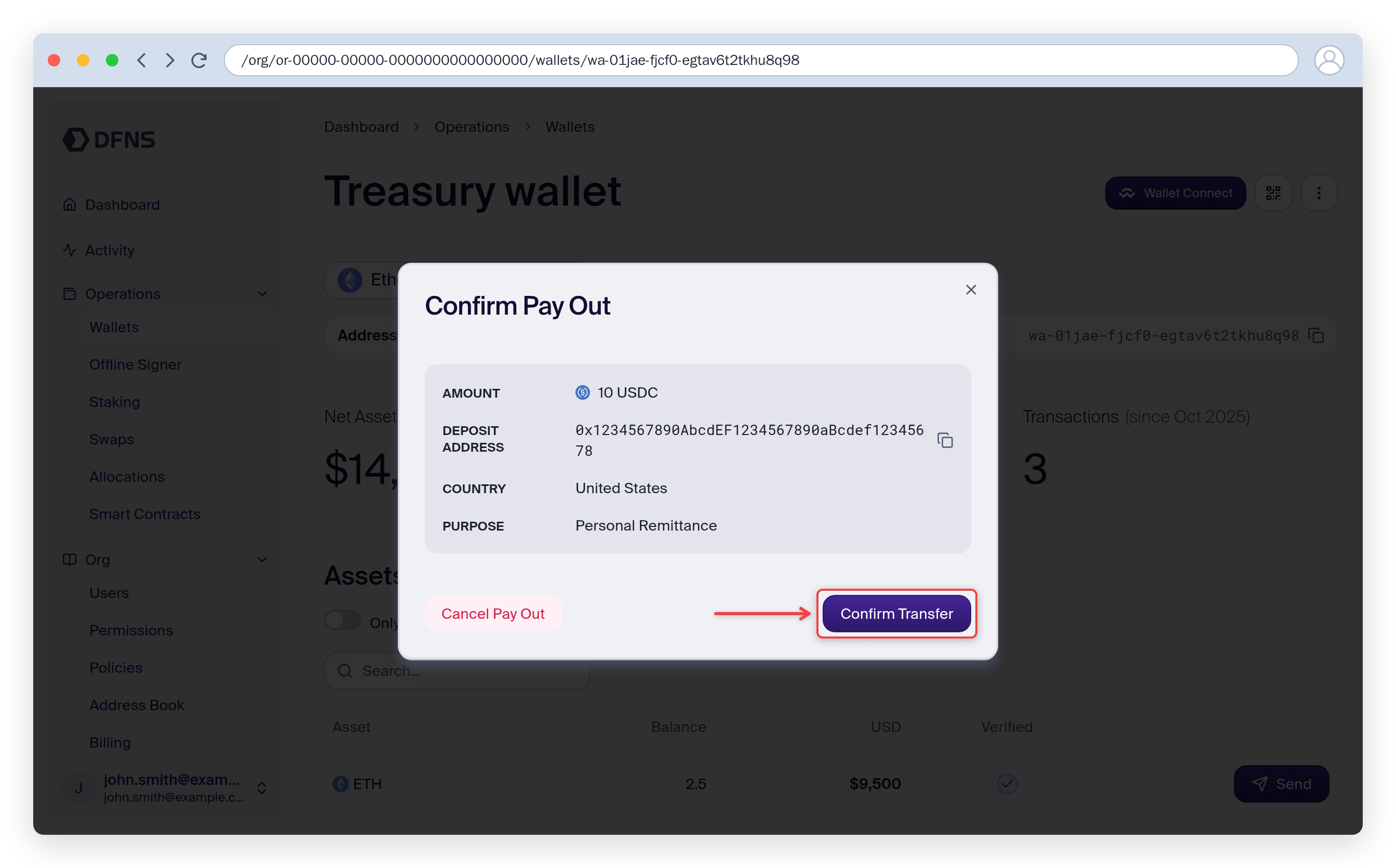
The dashboard currently supports USDC payouts only. For USDT and EURC, or for programmatic access, use the API.
The dashboard payout flow uses Borderless. To redeem to fiat through Circle Mint instead, use the API — Circle Mint payouts are not yet available from the dashboard.
Prerequisites
- A Borderless account with completed KYB verification
- Your Borderless API credentials (a Client ID and Client Secret)
- A DFNS wallet holding USDC on a supported network
Connect Borderless
1
Open the Borderless integration
In the dashboard, go to Integrations, find the Borderless card, and click Configure.
2
Enter your credentials
Toggle Activate Borderless Integration, paste your Borderless Client ID and Client Secret, and click Save.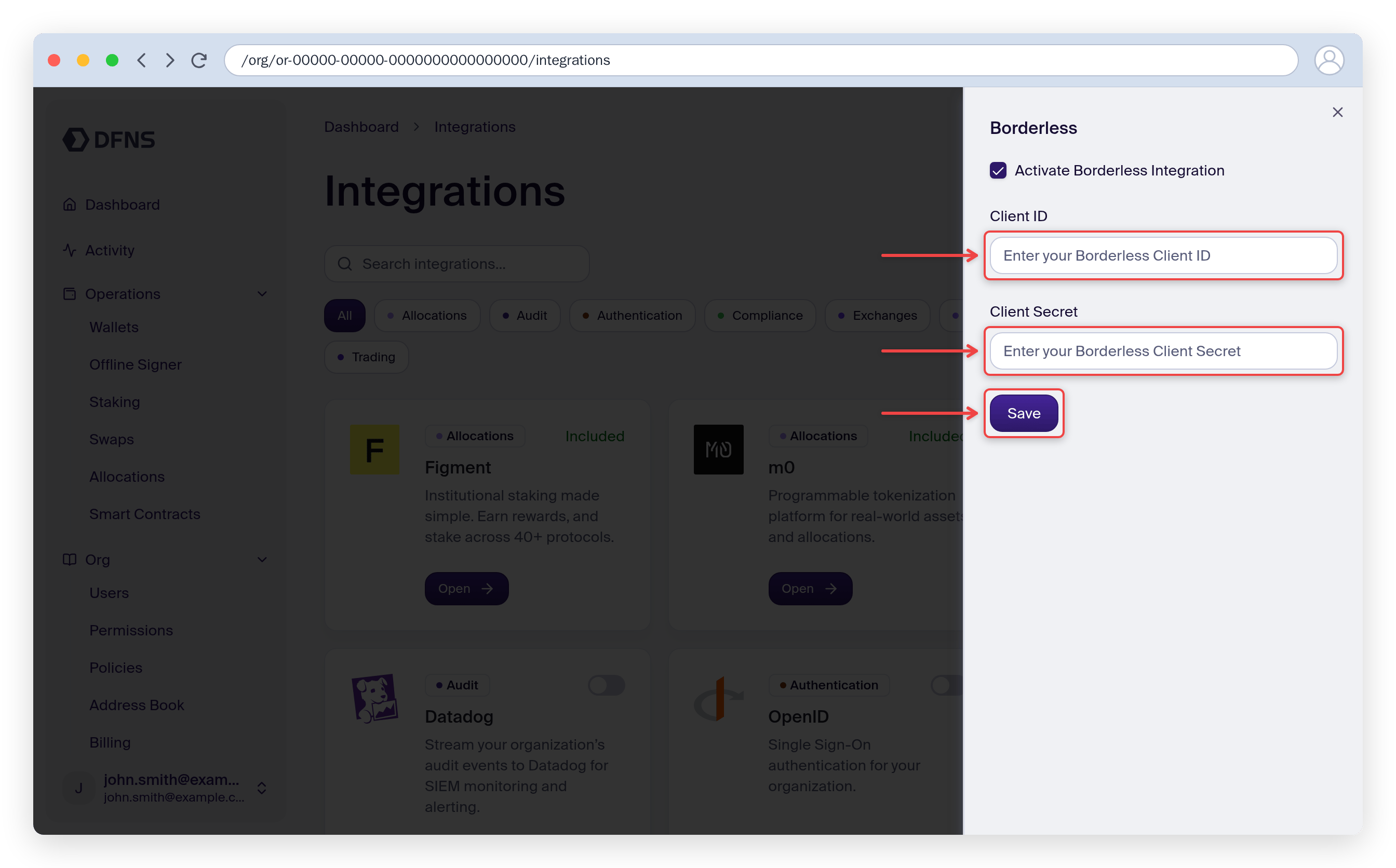
Initiate a payout
1
Select a wallet and asset
Navigate to a wallet, select a USDC asset, and click Pay Out.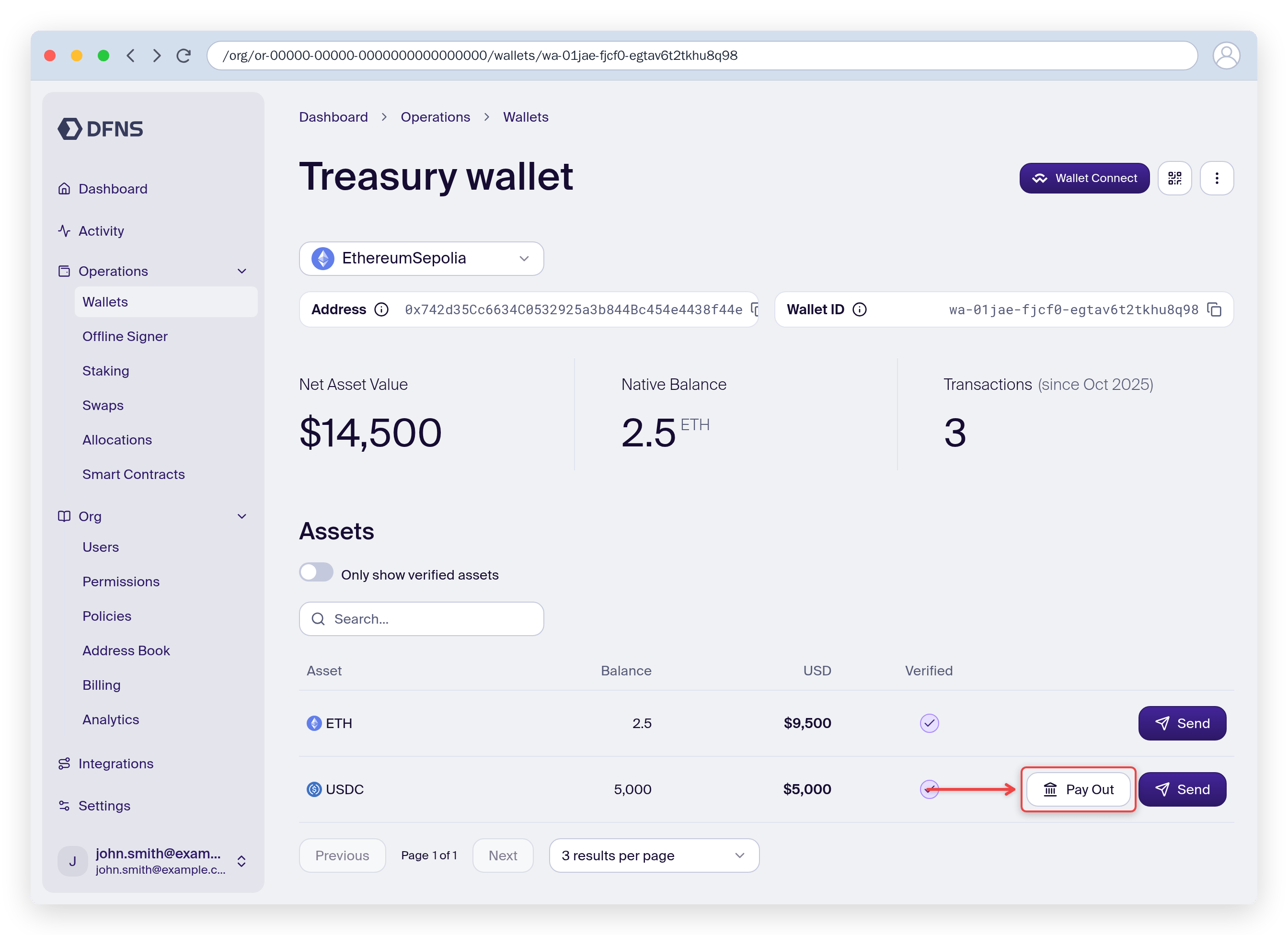
2
Enter amount and destination
Enter the amount to pay out and select the destination country.
3
Get a quote
Click Get Quote. The dashboard displays the estimated fiat amount and fees from Borderless.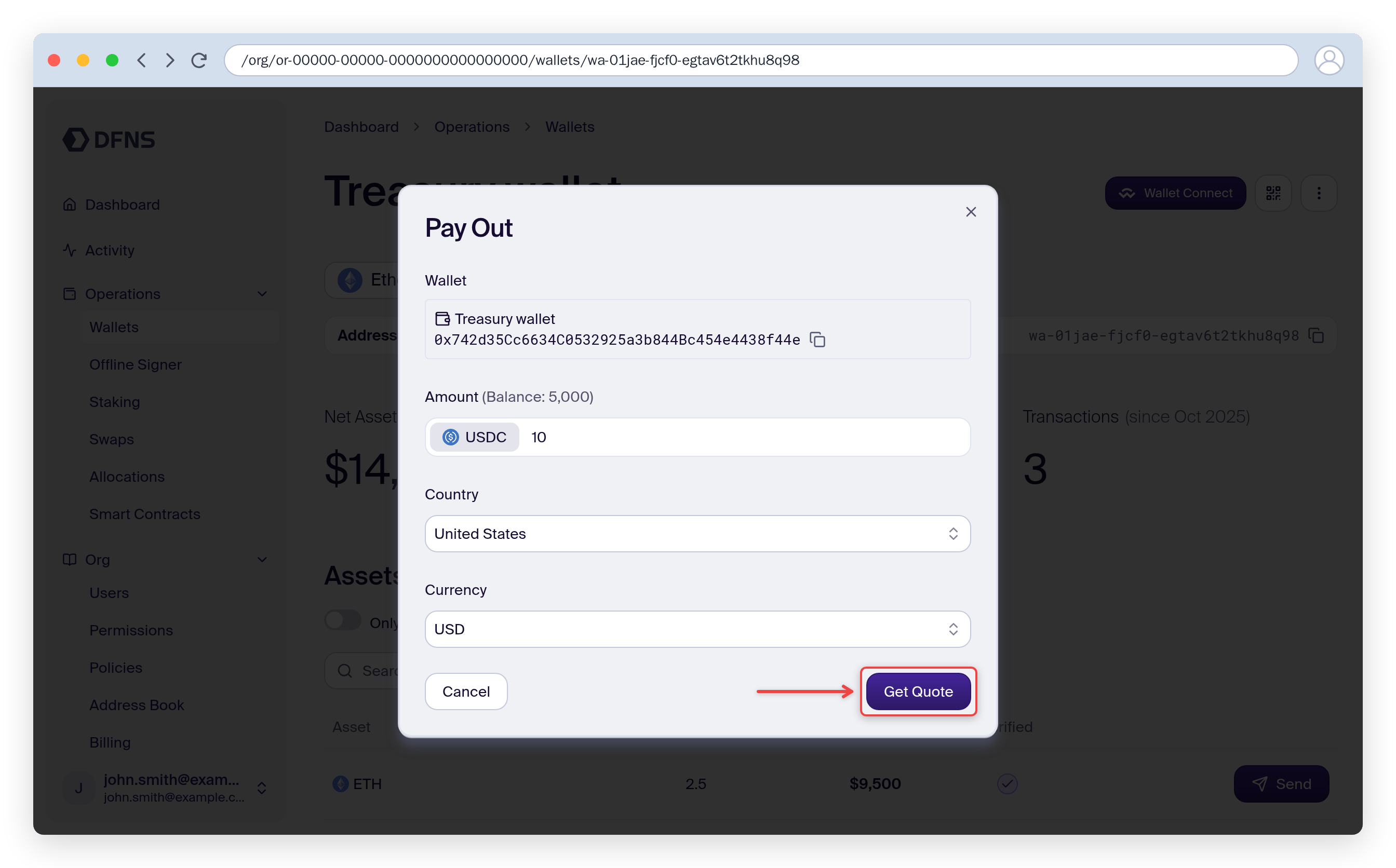
4
Fill payout details
Provide: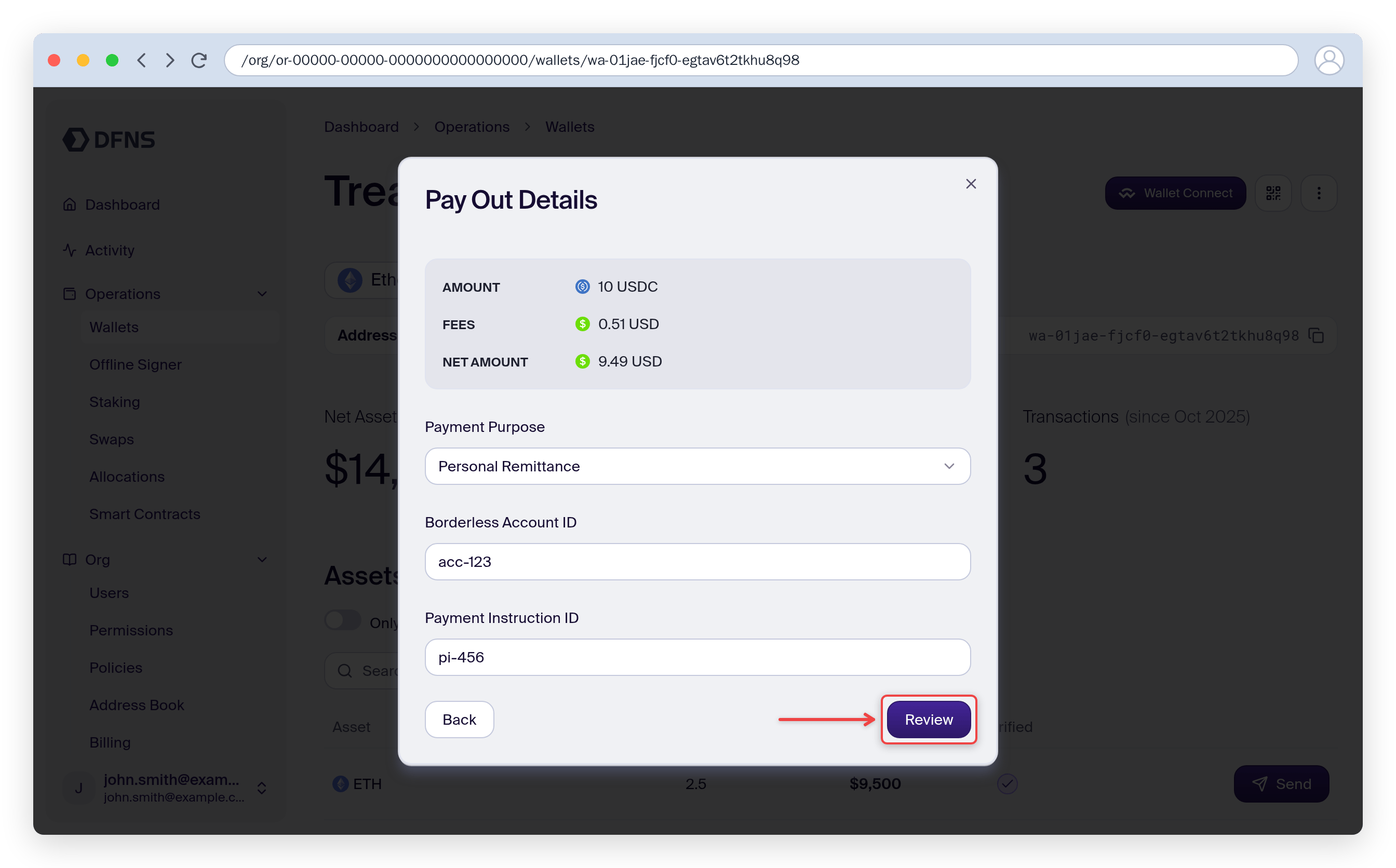
- Payment purpose: the reason for the payment (e.g. salary payment, service charge)
- Borderless account: the account paying out funds
- Payment instructions: the bank account receiving fiat
5
Review and confirm
Review the payout summary, then click Confirm.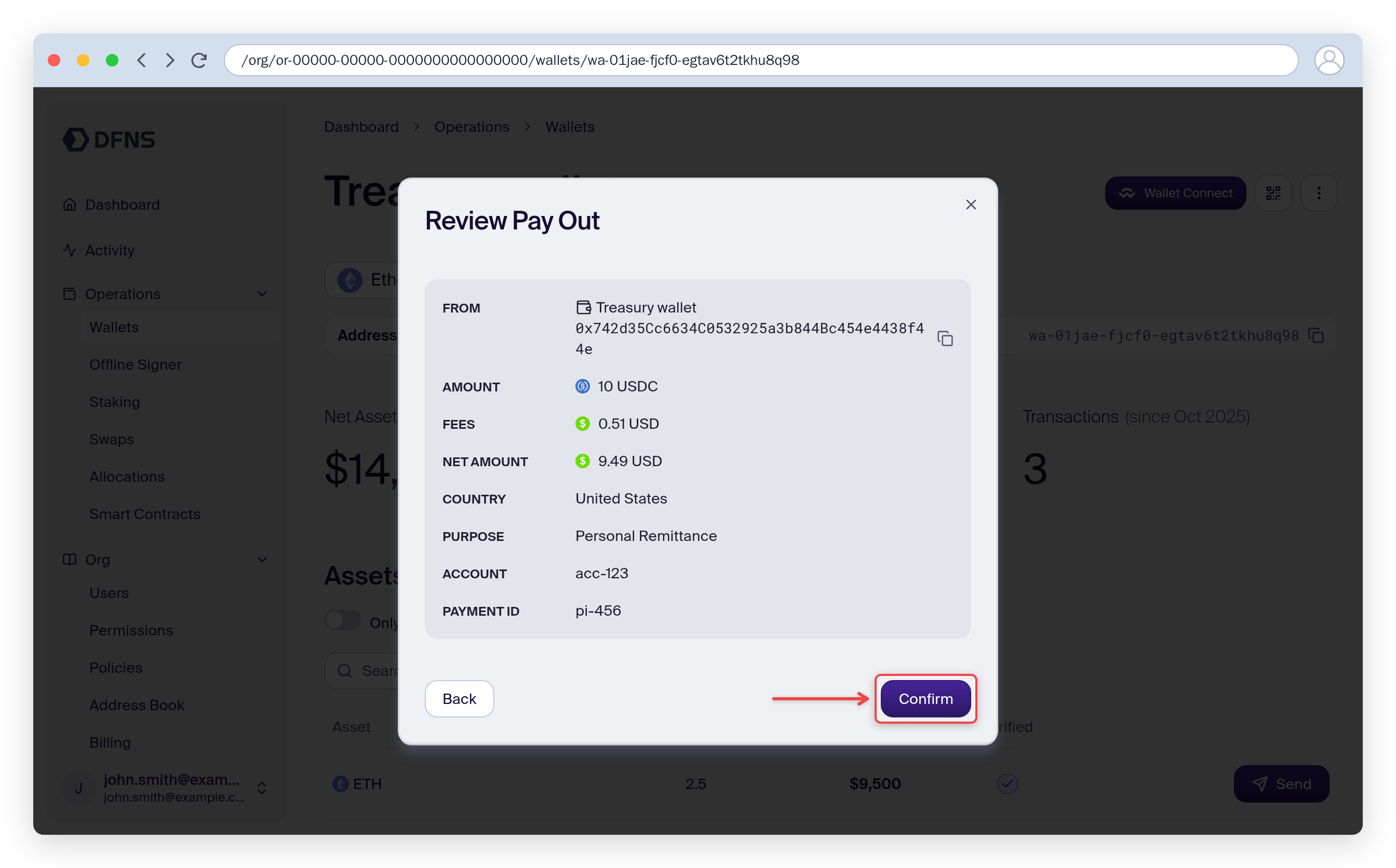
6
Confirm the transfer
Once Borderless returns a deposit address, the dashboard prompts you to confirm the on-chain transfer. Click Confirm Transfer to approve.