

Dashboard transfers always send JSON payloads, so dashboard-only users don’t need any of this. The options below can be configured from the dashboard or the API.
How the policy engine evaluates signing requests
Rules likeTransactionAmountLimit and TransactionRecipientWhitelist evaluate values (amounts, recipients) read from the request payload. The engine extracts those values from structured fields in the request.
DFNS policies don’t introspect raw serialized signature payloads. When the engine cannot extract the values a rule needs, it stays on the safe side and triggers the rule’s action (Block or RequestApproval, depending on configuration). This fail-closed behavior is by design: rather than let a request through unevaluated, the engine treats the rule as triggered.
Use JSON payloads for value-based rules
To let the engine evaluate rules like recipient whitelisting or amount limits, use JSON payloads with separate fields instead of serialized transaction data.Scope policies for signatures without an extractable JSON form
Some signature types, like EIP-712 typed data or complex multi-chain formats, don’t have a JSON equivalent with extractable fields. For those, scope yourWallets:Sign policy to apply only to wallets that need strict controls. Other wallets bypass the policy entirely.
Tag the wallets
Add a tag likepolicy:strict to wallets that need the policy.
From the dashboard
1
Open the wallet
Go to Wallets and click the wallet to scope.
2
Edit the wallet
Open the actions menu (⋯) in the top-right and click Edit.
3
Add the tag
In the Tags field, type 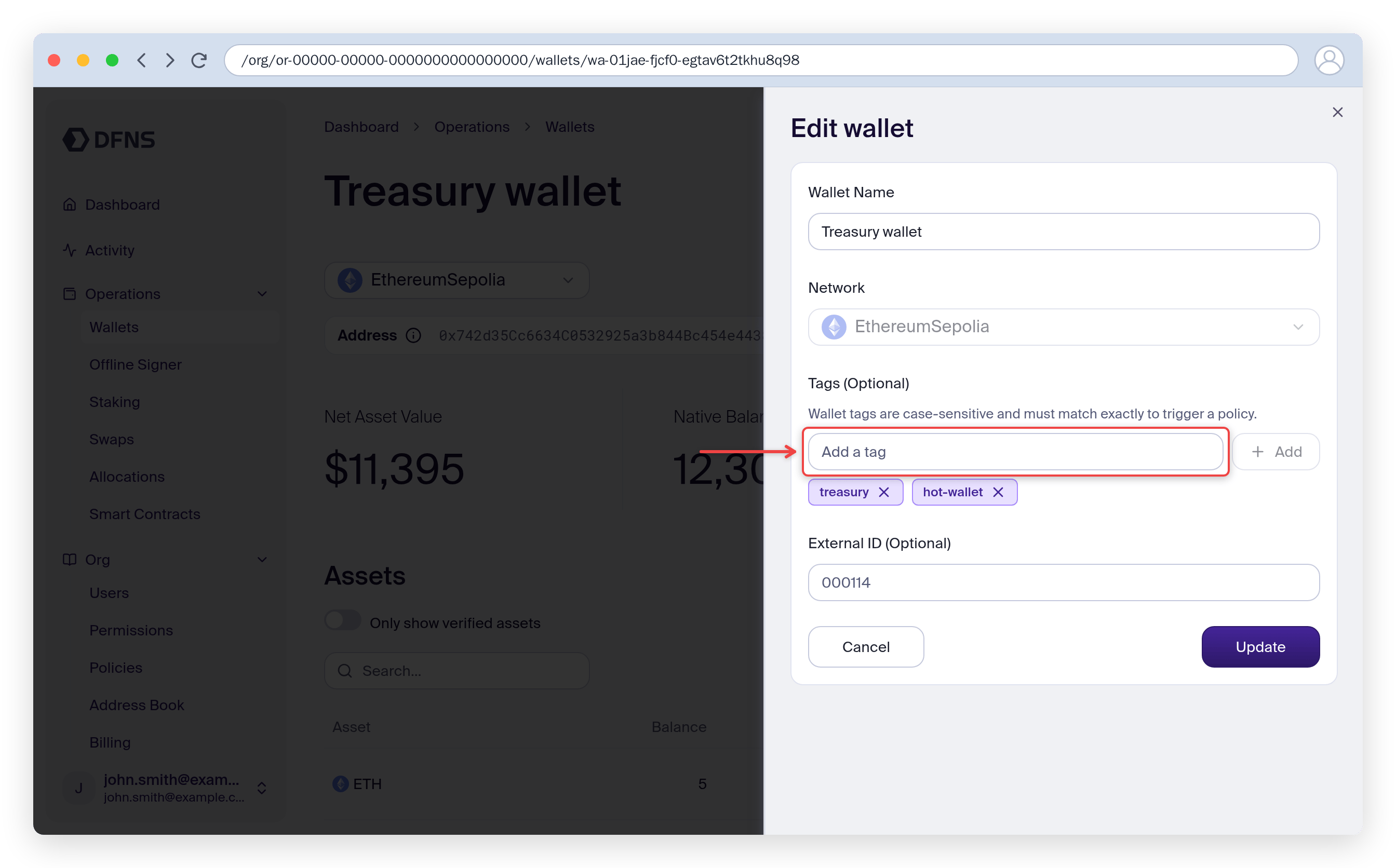
policy:strict and click Add, then Update.With the API
Create a signing policy scoped to the tag
From the dashboard
1
Create a new policy
Go to Policies and click Create Policy. Name it (for example,
Sign requests on strict wallets).2
Select the activity
Select Wallet usage (transfer, transaction, signature).
3
Add a wallet tag filter
On the Entity Filter step, under Any Tags, click Add Tags and add 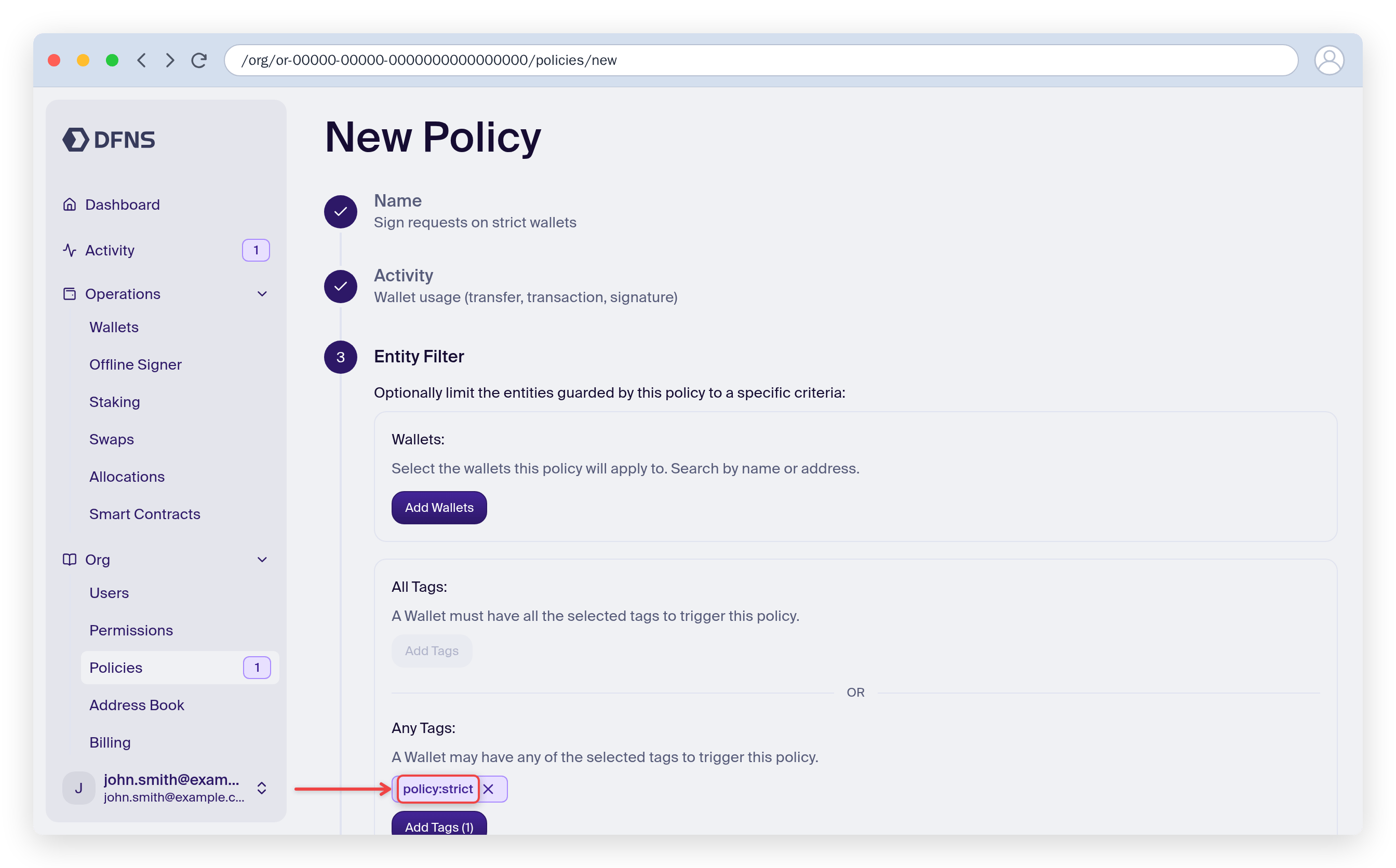
policy:strict.4
Configure the rule and action
Pick the rule (for example, Transaction recipient whitelist or Transaction amount limit) and the action (Block or Request approval).
5
Save
Review the summary and click Save.
With the API
policy:strict tag won’t trigger this policy.
Filter by wallet ID instead
For simpler setups, the API supports filtering by specific wallet IDs:Security considerations
When excluding wallets from policies:- Fund with limited amounts: only keep what’s needed for operations.
- Use separate wallets: don’t mix automated signing wallets with treasury.
- Monitor with webhooks: track signing activity.
- Audit regularly: review which wallets are excluded from policies.
Related resources
Policy Engine
Learn how the Policy Engine works
Wallet tags
Organize wallets with tags
Sign & Broadcast
Transaction broadcast API reference
Generate Signature
Signature generation API reference