

T and won’t look identical to the Ethereum one. See supported key formats for the scheme and curve of each network.
This is useful when:
- You want a consistent address across multiple chains
- You need to recover tokens accidentally sent to your address on a different network
- You’re bridging assets between chains and want balances to update in DFNS
You can only create one wallet per network with a given key.
Prerequisites
- You have an existing wallet on an EVM network (e.g., Ethereum)
- You know the key ID of that wallet (visible in the wallet details)
Create a wallet on another network with the same key
1
Go to your existing wallet
Navigate to Wallets and open the wallet whose address you want to reuse on another network.Note the blockchain network displayed under the wallet name.Open the menu and select “Add Network”.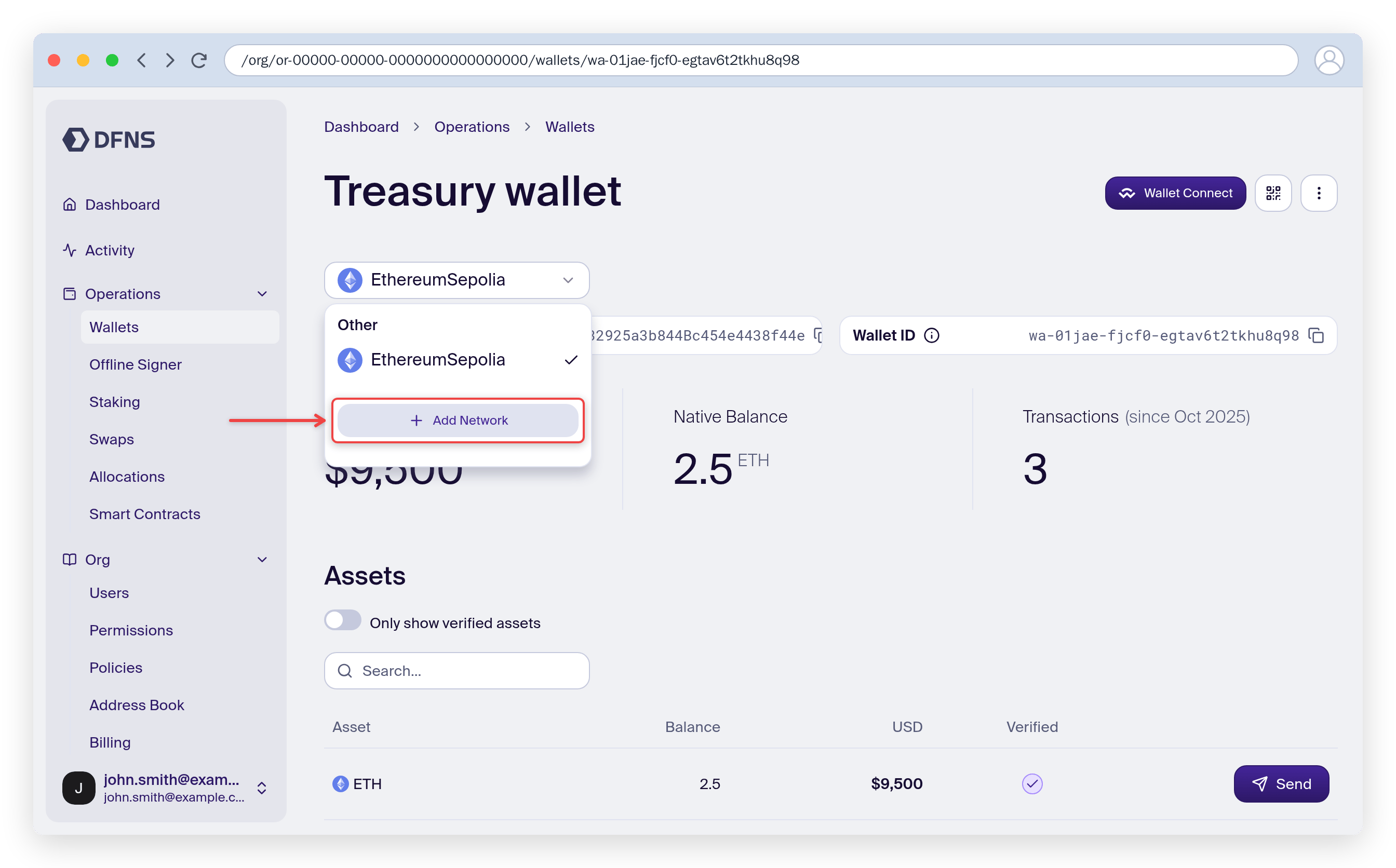
2
Create a new wallet
Select the target network (e.g., Base) and a name if needed.Then click “Add Network”.Sign with your 🔑 passkey.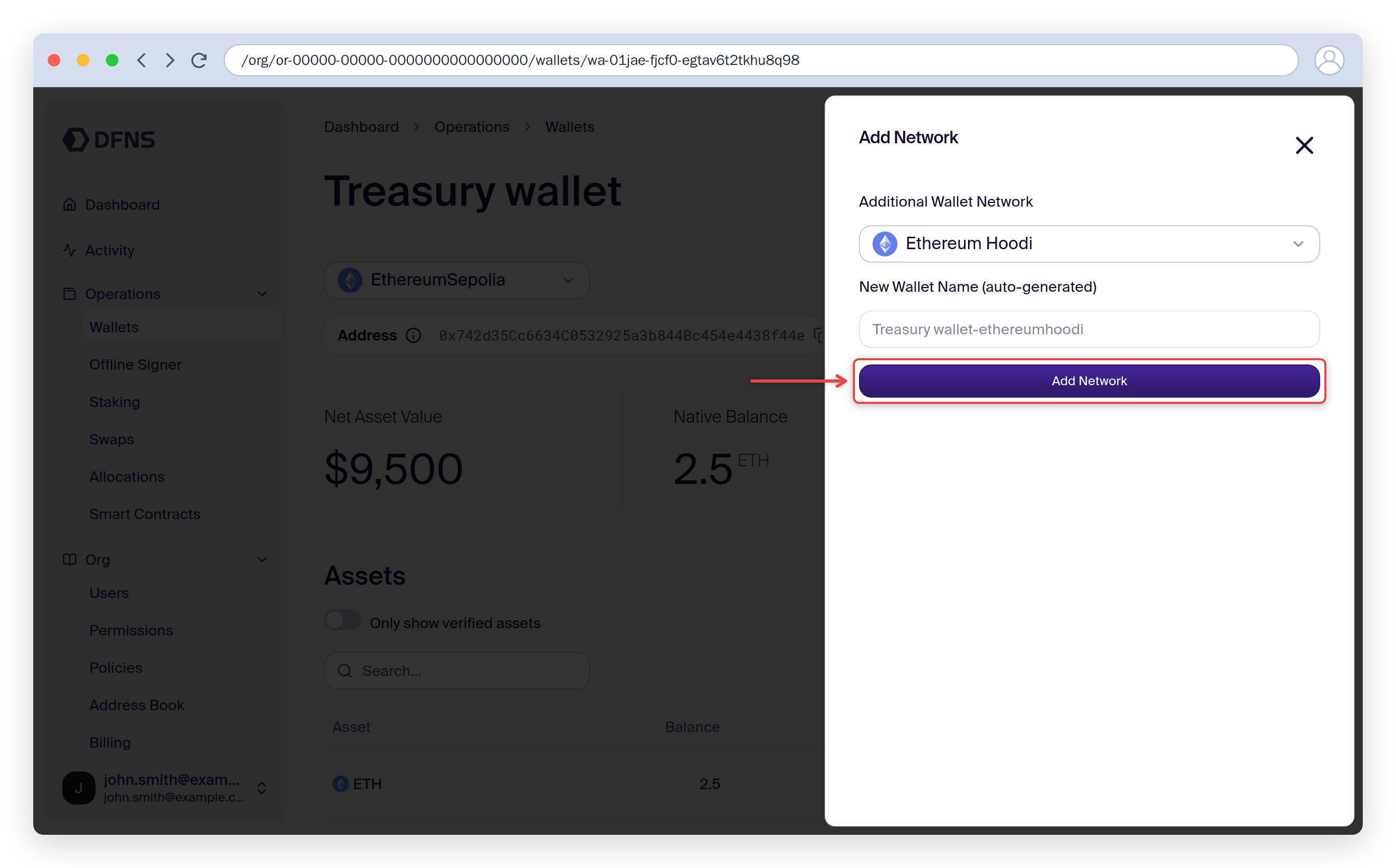
3
Use the new wallet
You now have a new wallet on the selected network that shares the same address as the original wallet.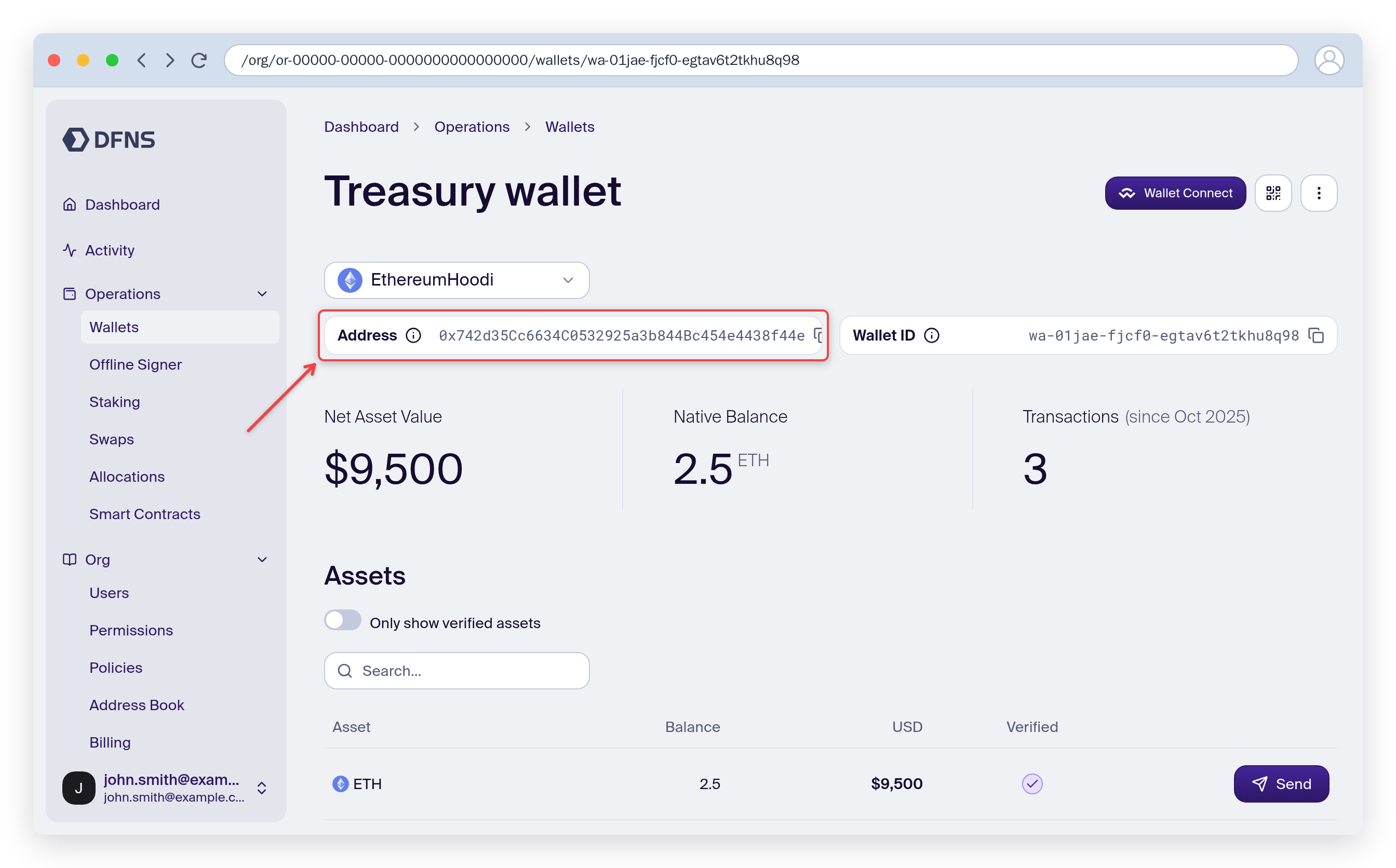
Your new wallet shares the same address as the original. Assets on both chains will be tracked separately in DFNS.
Example: recovering tokens sent to wrong network
If someone sends tokens to your Ethereum wallet address but on Base (or another EVM chain):- Open your Ethereum wallet and open the multichain menu
- Create a new wallet on Base
- The new Base wallet will have the same address, giving you access to the tokens
Related
- Keys & Multichain - Migration Guide for API usage
- Transfer assets to send tokens from your wallet