

Deployment options
You choose where the signers run. DFNS supports three configurations:- DFNS Cloud
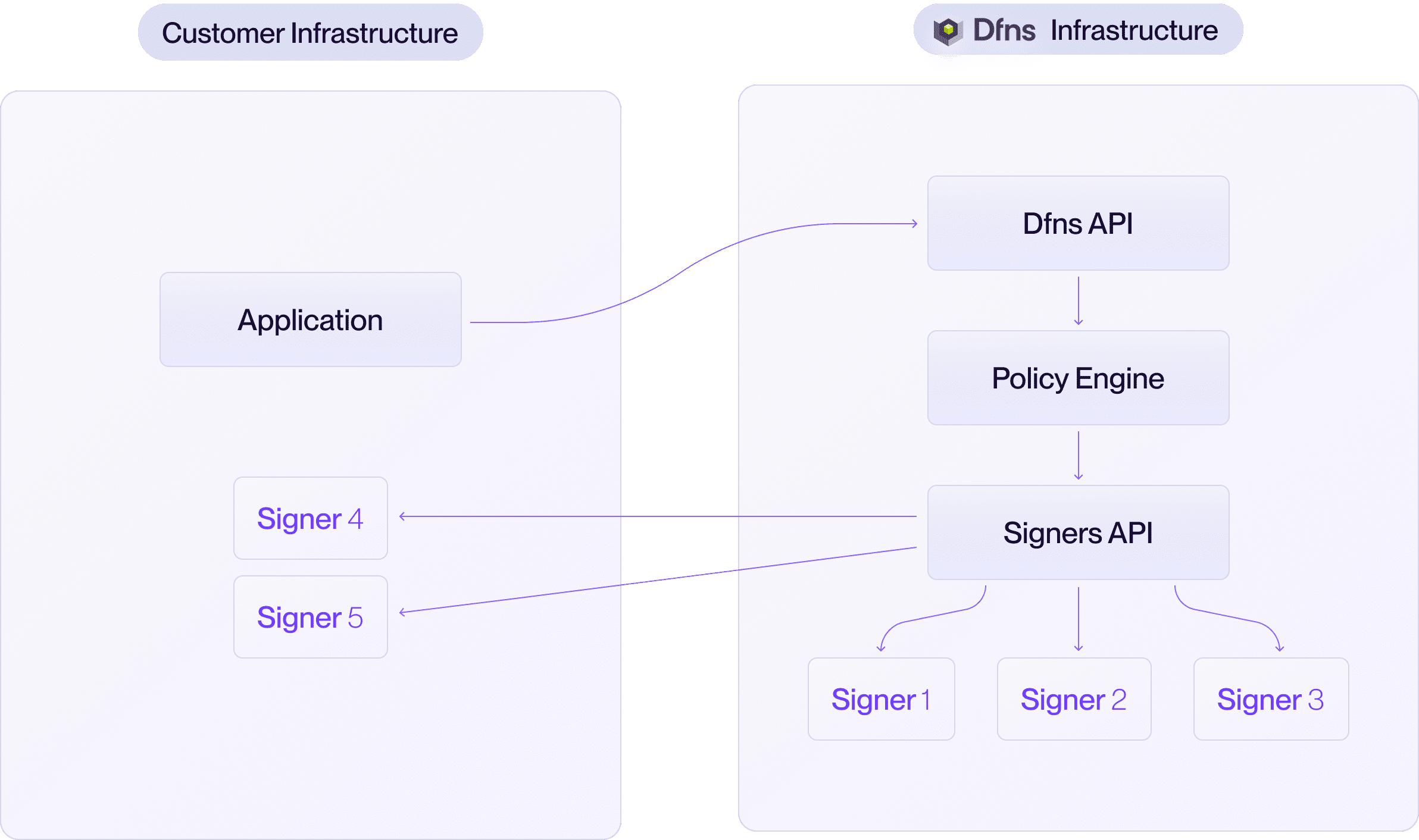
- Hybrid
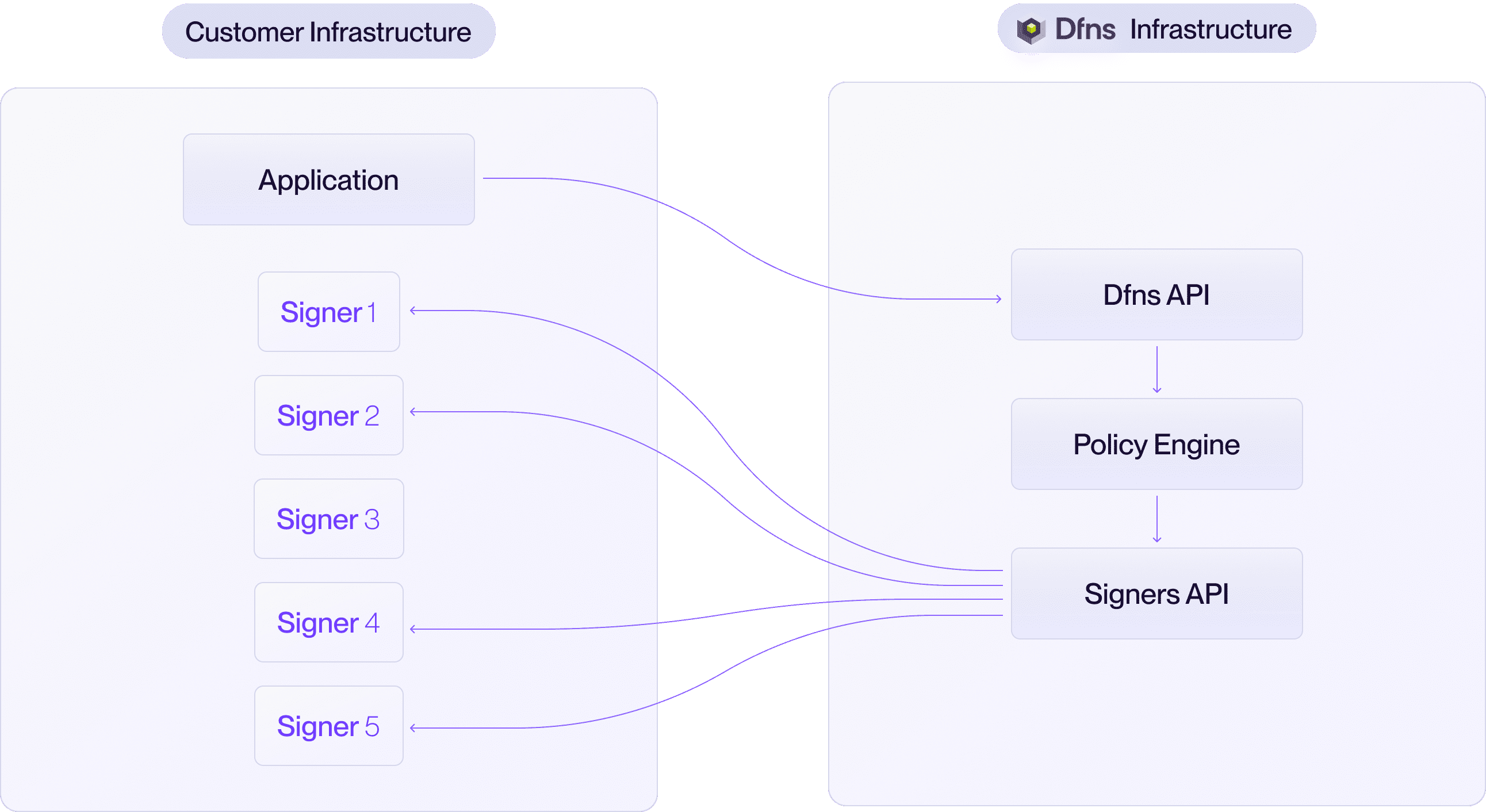
- On-premise
DFNS manages all signers in our geographically distributed cloud infrastructure. This is the default and most popular option.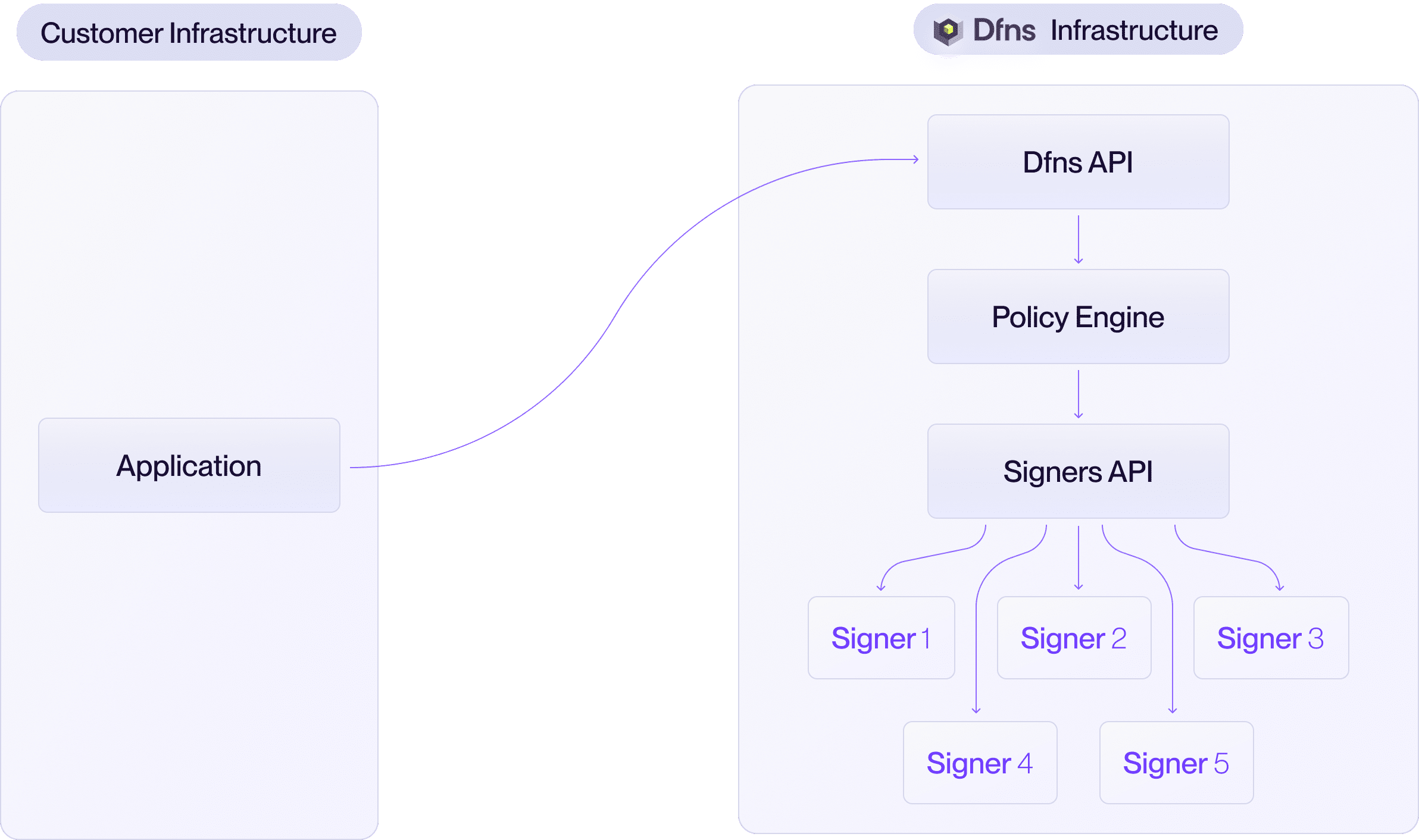
- All key shares are secured and stored by DFNS.
- Zero operational overhead for your team.
You can choose your preferred MPC threshold scheme. We recommend 3-out-of-5, but any configuration can be implemented (e.g. 2-of-3, 4-of-7).
Architecture
The signer network consists of the following components:Key generation
Distributed Key Generation (DKG) is the ceremony where signers collaboratively generate key shares without any single party ever holding the complete private key. All signers in the scheme must participate.- Your application requests a new wallet through the DFNS API.
- The API initiates a DKG ceremony by contacting each participating signer.
- Each signer generates its key share locally and communicates with other signers through the delivery server using mTLS.
- Once the ceremony completes, each signer persists its encrypted key share in its database.
- The public key is returned to your application.
Transaction signing
Only the threshold number of signers need to participate in a signing ceremony.- Your application submits a transaction through the DFNS API.
- The API initiates a signing ceremony with the required threshold of signers.
- Each participating signer retrieves its encrypted key share, decrypts it, and participates in the MPC signing protocol via the delivery server.
- The threshold signature is produced without any single signer holding the complete private key.
- The signature is returned to your application.
Threshold schemes
The threshold scheme (t-out-of-n) determines:
In a hybrid deployment, you decide how many signers are operated by DFNS versus your organization. For example, in a 3-of-5 scheme, you could host 2 signers and DFNS hosts 3. Neither party alone can sign without the other’s participation.
Additional features
When running signers on your own infrastructure, additional features are available:- Validation gate: Add a pre-signing authorization step where your HTTP handler approves or rejects every transaction before the signer proceeds.
- Layer 3 disaster recovery: Keep an encrypted copy of every key share in your S3 bucket, so you can rebuild a signer if its database is lost.
- Layer 4 disaster recovery: Automatically encrypt key share backups with your own public key and store them in your S3 bucket for independent recovery.