

Setup
1
Open the Elliptic integration
In the DFNS Dashboard, navigate to Integrations, find the Elliptic card, and click Configure.
2
Activate and enter your credentials
Toggle Activate Elliptic Integration, then enter your Elliptic API key and Elliptic API secret.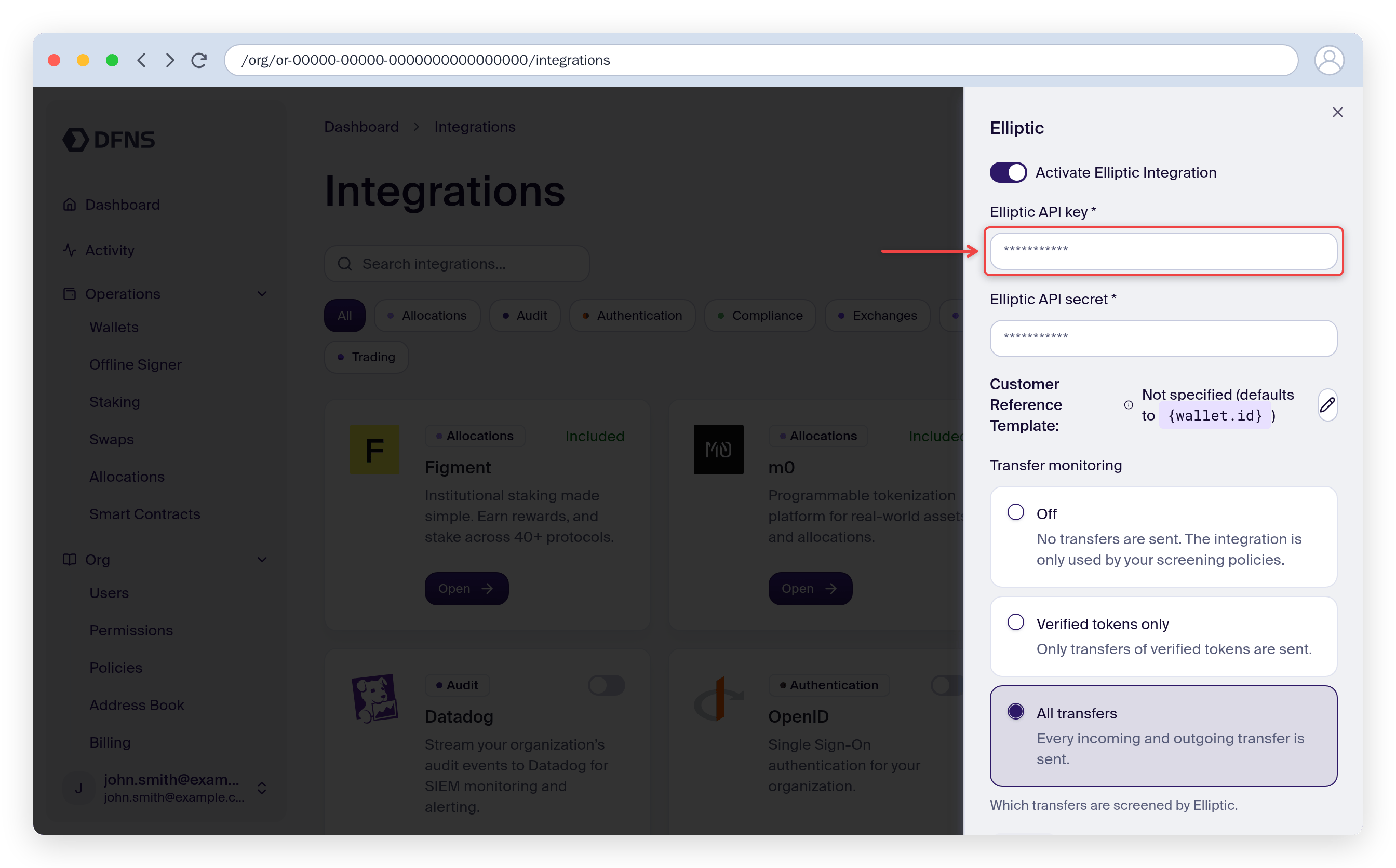
3
Choose what to monitor
Under Transfer monitoring, choose which transfers DFNS automatically screens with Elliptic. This is separate from the prescreening policy below, which always runs on the activity it targets.
- All transfers (default): every incoming and outgoing transfer is screened.
- Verified tokens only: only transfers of verified tokens are screened. Unverified tokens, which anyone can mint under a legitimate symbol, are skipped. Tokens you registered as verified are screened.
- Off: no transfers are screened automatically. Elliptic is used only by your prescreening policy.
4
Save
Click Save. Your credentials are validated on activation. The integration is now active, and the Elliptic rule becomes available in the policy builder.
Outbound transfer prescreening
Outbound transfers can be screened by Elliptic before they are broadcast on-chain. Upon a transfer attempt, DFNS runs a synchronous Elliptic wallet analysis of the destination address and checks the returned risk score against your configured threshold, plus any configured risk rules or categories.From the dashboard
1
Create a policy
Go to Policies, click Create Policy, give it a name, and select the Wallet usage (transfer, transaction, signature) activity.
2
Select the Elliptic rule
On the Rule step, choose Transaction attempt prescreening (Elliptic). Set the risk score threshold (0–10) that triggers the policy, and optionally add risk rule IDs or category names from your Elliptic risk model that trigger it regardless of the score.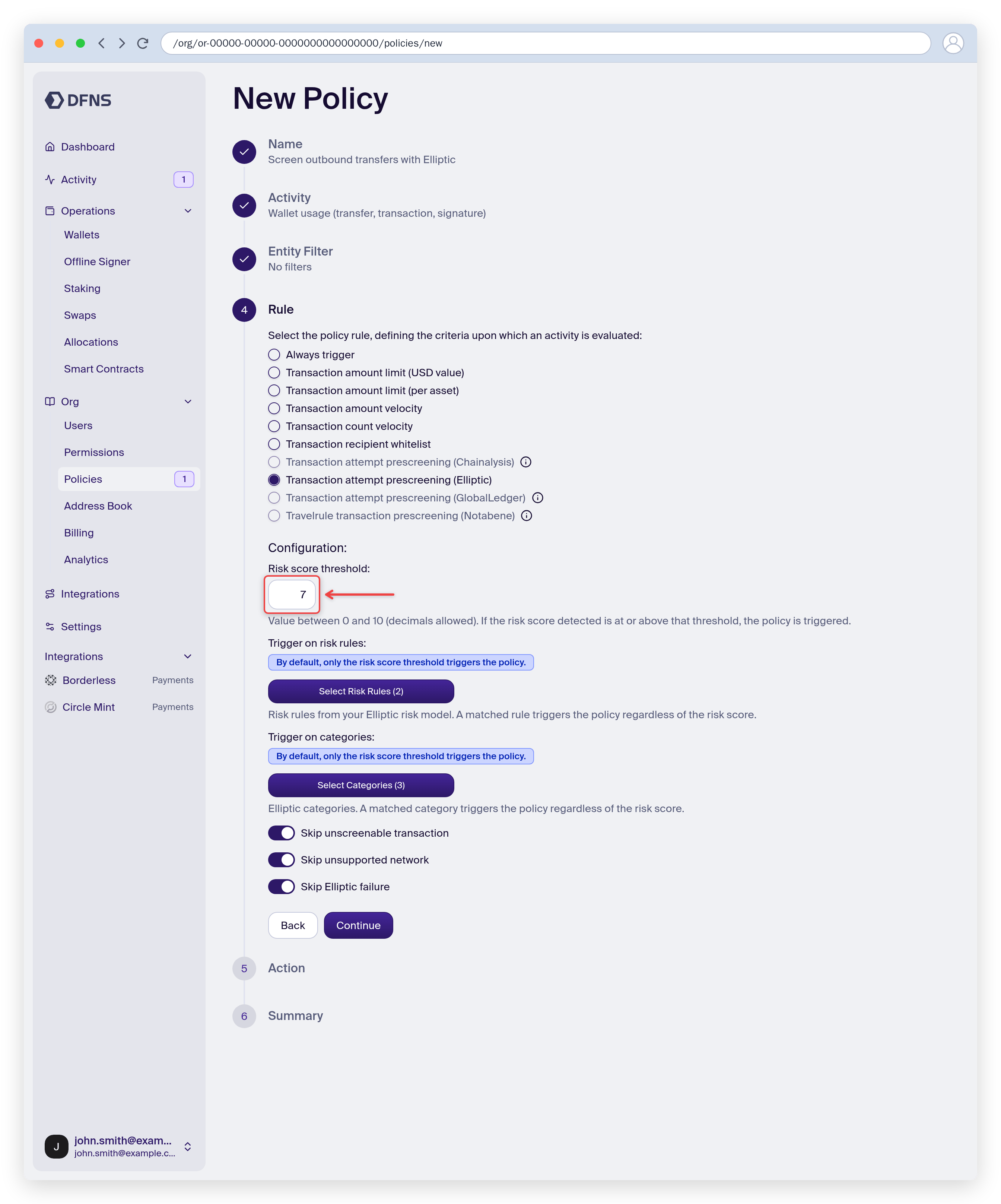
3
Choose an action and save
Pick the action taken when the rule triggers, then review and Save. You can scope the policy to specific wallets or tags.
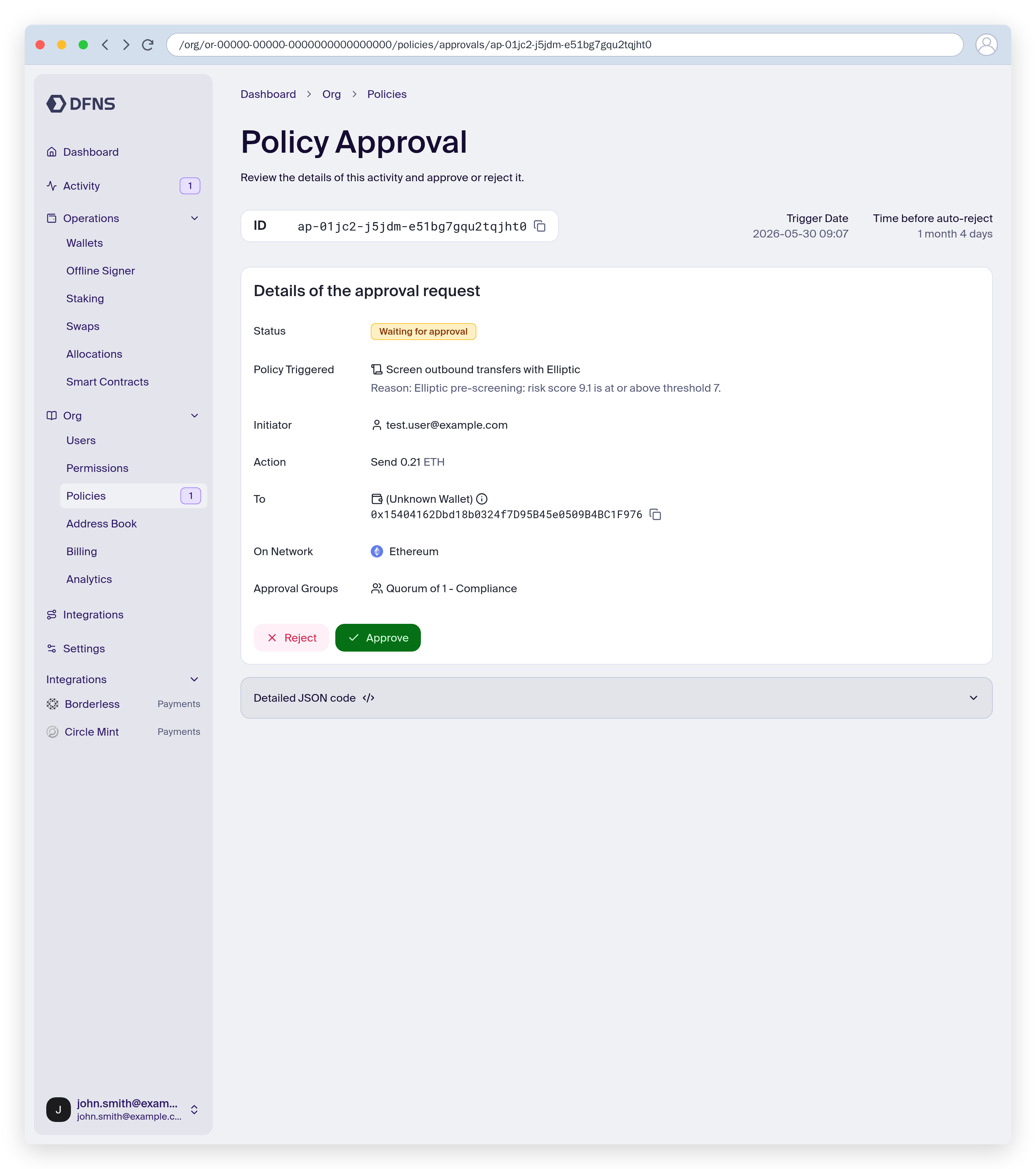
RequestApproval, a flagged transfer stays pending until an approver reviews it. The approval page shows the triggered policy and the reason — for example, the Elliptic risk score and the threshold it crossed.
With the API
Create a policy with:- Activity kind:
Wallets:Sign - Rule kind:
EllipticTransactionPrescreening - Action kind:
Block,RequestApproval, orNoAction
When the policy triggers, the Elliptic screening results are included in the
policy.triggered webhook event.
Supported networks
Screening covers the networks supported by Elliptic holistic screening.For the most up-to-date list of supported networks and assets, check the Elliptic documentation.