

Setup
1
Open the Global Ledger integration
In the DFNS Dashboard, navigate to Integrations, find the Global Ledger card, and click Configure.
2
Activate and enter your API key
Toggle Activated, then enter your Global Ledger API key (encrypted at rest and in transit). If you run an on-prem deployment, optionally set a Custom base domain and the Supported Blockchains.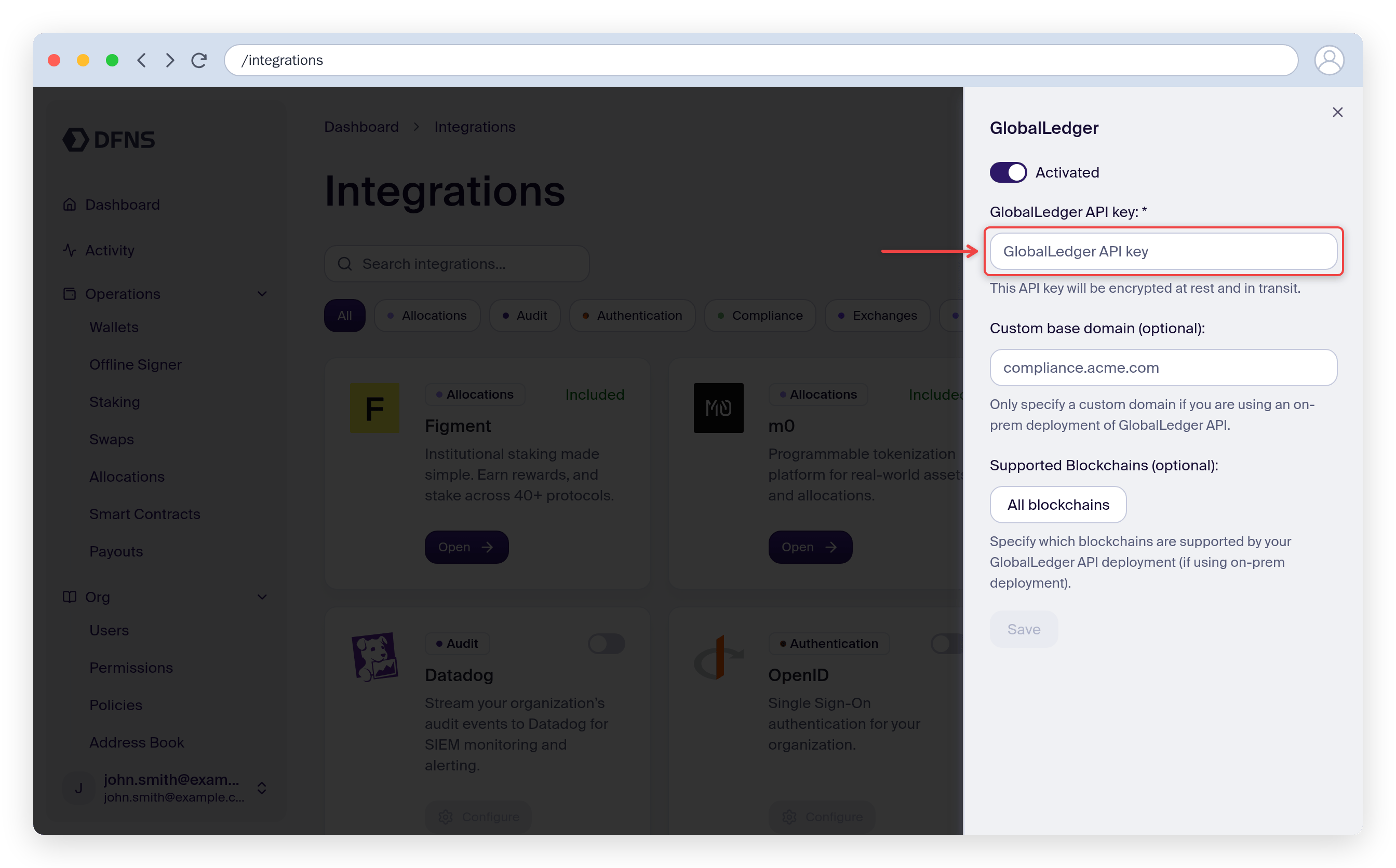
3
Save
Click Save. The integration is now active, and the Global Ledger prescreening rule becomes available in the policy builder.
Outbound transfer prescreening
Outbound transfers can be screened by Global Ledger before they are broadcast on-chain. Create a policy that runs the Global Ledger prescreening rule on wallet activity.From the dashboard
1
Create a policy
Go to Policies, click Create Policy, give it a name, and select the Wallet usage (transfer, transaction, signature) activity.
2
Select the Global Ledger rule
On the Rule step, choose Transaction attempt prescreening (GlobalLedger). Set the Risk score threshold (0-100, where the policy triggers when the score meets or exceeds it) and toggle the skip options as needed.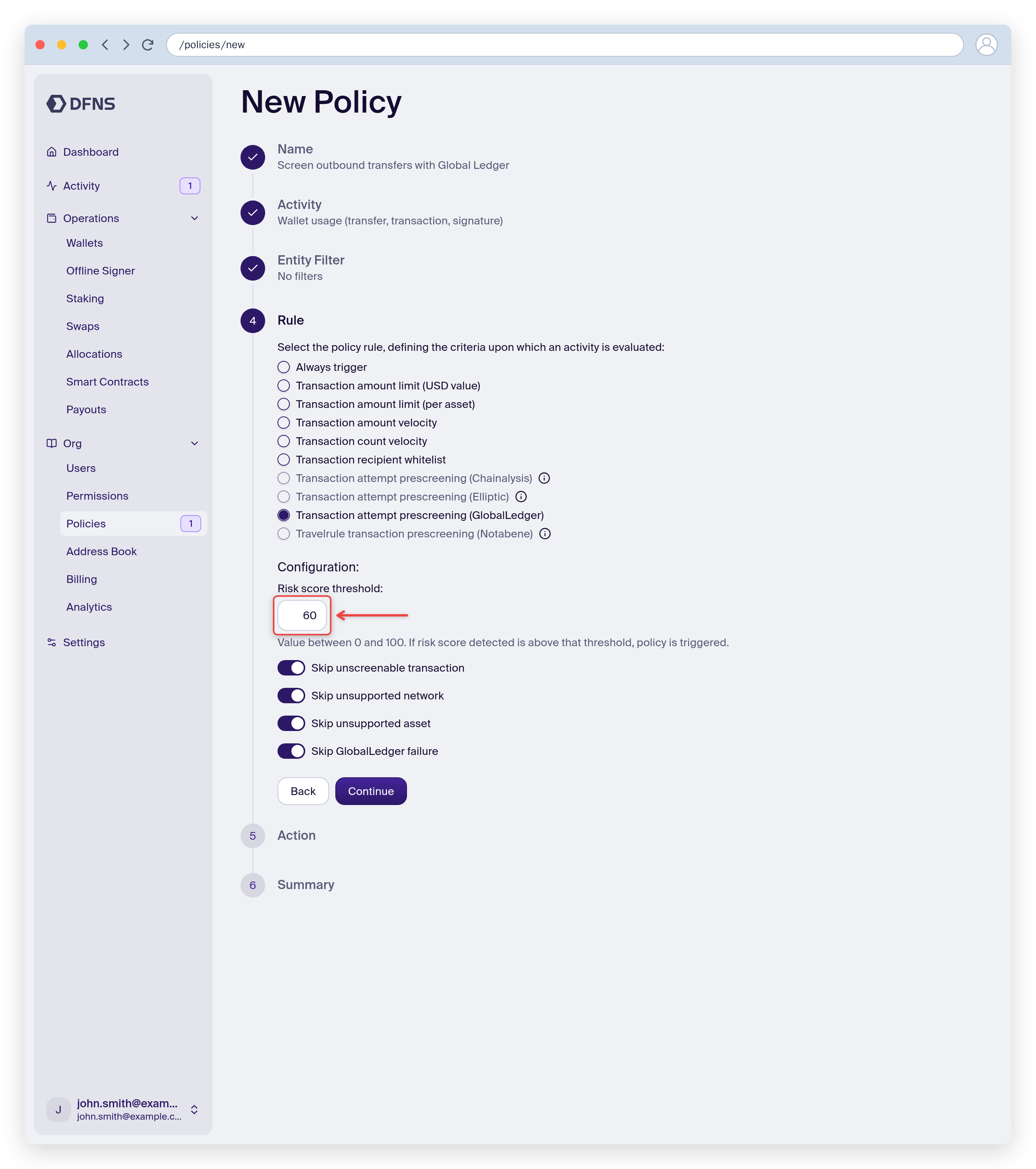
3
Choose an action and save
Pick the action taken when the rule triggers, then review and Save. You can scope the policy to specific wallets or tags.
With the API
Create a policy with:- Activity kind:
Wallets:Sign - Rule kind:
GlobalLedgerTransactionPrescreening - Action kind:
Block,RequestApproval, orNoAction
When the policy triggers
The policy triggers when either:- The transaction’s risk score meets or exceeds your configured
riskScoreThreshold(0-100 scale, where 100 is highest risk) - Global Ledger returns any alerts for the transaction (alerts are configured in your Global Ledger dashboard)
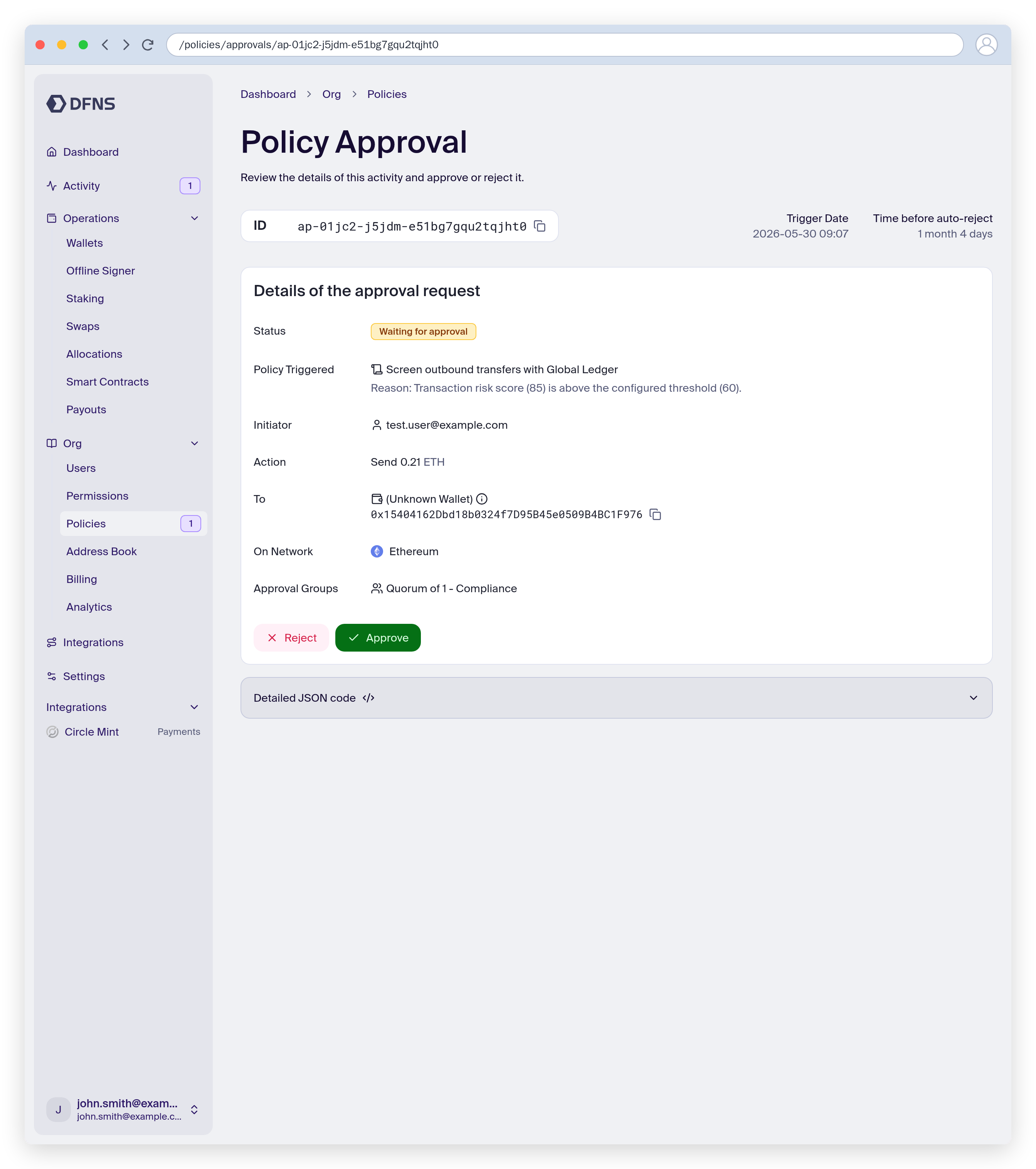
RequestApproval, the flagged transfer stays pending until an approver reviews it. The approval page shows the triggered policy and the reason, and expands “Evaluation details” with the full response from Global Ledger, including risk scores and any alerts.
Skip options
The rule includes options to handle edge cases:
When a skip option is enabled and the condition is met, the policy does not trigger and the transaction proceeds.
Webhook events
When the policy triggers, the screening results are included in thepolicy.triggered webhook event.
Supported networks
Global Ledger supports major blockchains including Bitcoin, Ethereum, Tron, BNB Chain, Solana, and more. For the complete list of supported networks and assets, see Global Ledger’s documentation.If you’re using an on-prem deployment of Global Ledger, you can specify which blockchains your deployment supports in the Dashboard integration settings.